
Browsing with AdsPower - Improve your browsing experience
Published
Jun 26th, 2026
Topic
Manual
Reading time
10 mins


Author
StableProxy
About AdsPower.
Modern websites and search engines use fingerprint technologies to differentiate between real users and bots. Your browser leaves behind unique traces that help them track your activity and identify potential threats.
Fingerprint technology also affects web scraping, as it is increasingly used to detect scraping bots and set restrictions on their activity. However, there are tools like AdsPower that help overcome these restrictions and restore your privacy. With AdsPower, you can forget about tracking your activity and freely browse the internet.
Designed for Windows and Mac, AdsPower offers a range of powerful features to optimize your interaction with the internet.
Multi-account management: AdsPower allows you to effortlessly manage multiple accounts on different platforms without the need to constantly log in and out.
Browser fingerprint protection: Stay ahead of browser fingerprinting technologies. AdsPower allows you to create unique browser fingerprints for each account, providing enhanced privacy and security.
Proxy server integration: AdsPower offers the ability to integrate proxy servers for increased browsing speed and efficiency while maintaining anonymity.
Discover all the advantages of using AdsPower and transform your web browsing experience. Visit their official website to learn more and start using a new level of interaction with websites. To get started, click here.
Enhance your internet experience with AdsPower, a great tool for managing browsers. To get started, follow these simple steps:
- Download AdsPower. Visit the official website and click the download link.
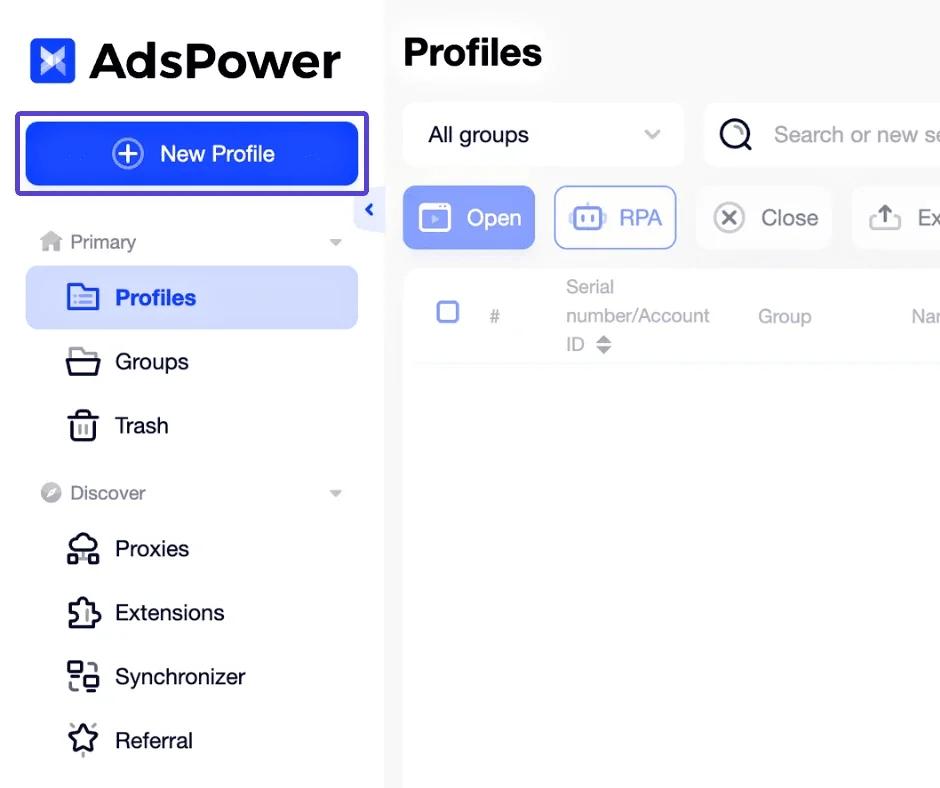
- Create a profile. Launch the application and click on "New Profile" to set up your own profile.
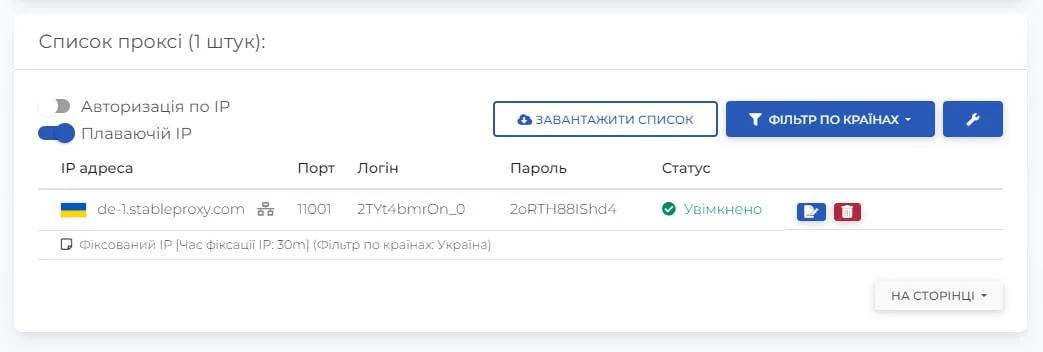
- Set up the proxy server operation based on the data in your control panel.
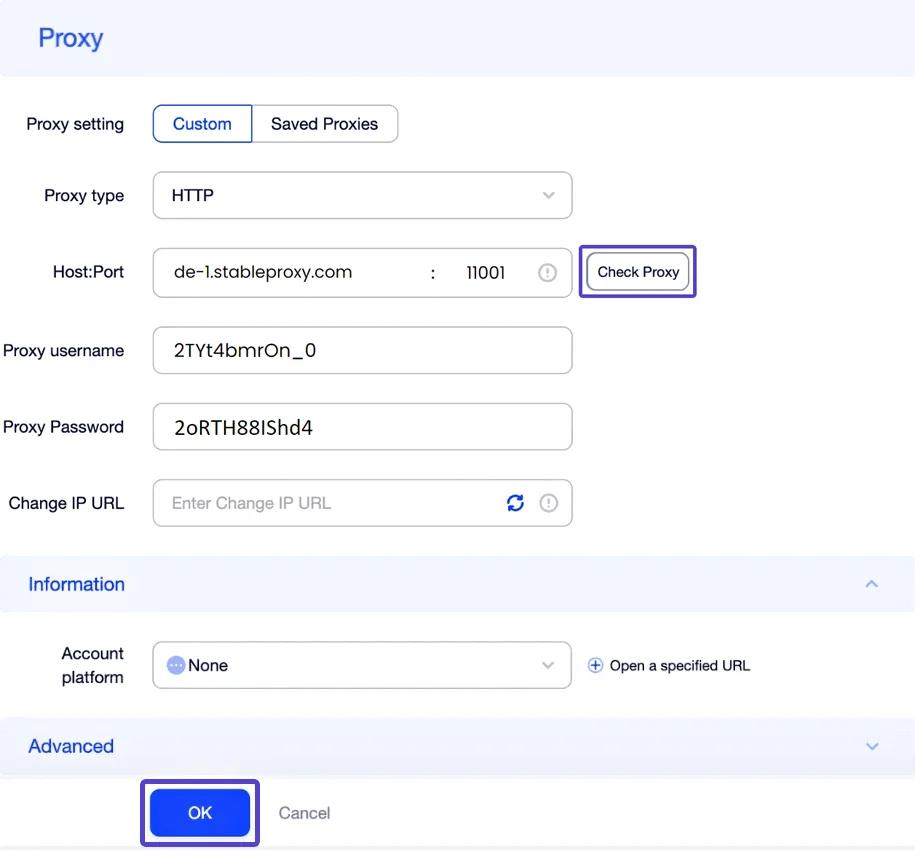
To check if the proxy works correctly, click "Check Proxy" and check its status.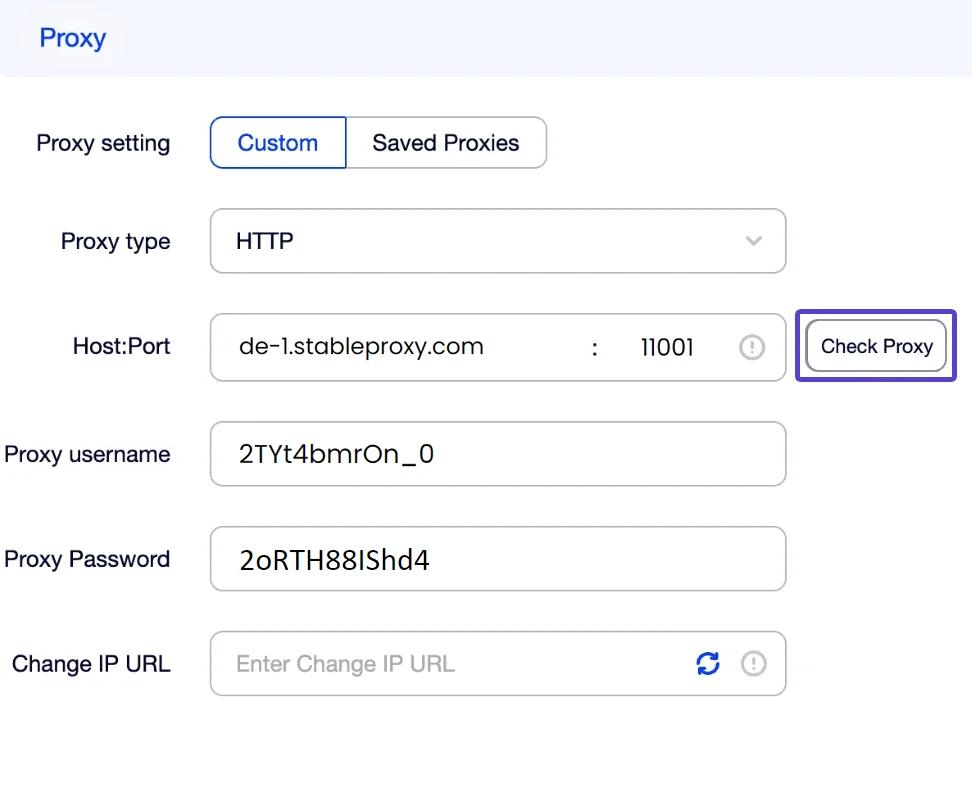
- Launch the browser. Just click "Open" in the "Tags" section, and you can start browsing websites.
With AdsPower, you get complete control over browsing websites and discover new possibilities. Take advantage of all the benefits of enhanced privacy and effective web page viewing.


StableProxy.pl © 2023-2024