
Duck DNS for authorization - Instructions for using a proxy
Published
Jun 24th, 2026
Topic
Manual
Reading time
10 mins


Author
StableProxy
Instructions for using a proxy without login and password for a dynamic IP address
One of the ways to use a proxy without a login and password for a dynamic IP address is to use the Duck DNS service. This service allows you to convert your dynamic IP address to static and direct Duck DNS domains to the IP address of your choice.
So, what is a dynamic and static IP address?
Electronic devices connect to the Internet via IP addresses, which can be static or dynamic. In simple terms, a dynamic IP address is automatically updated and changes every time you reboot your router or connect to the Internet, while a static IP remains unchanged and is assigned manually.
To avoid the need to change the IP address, you can use programs that make the dynamic IP address static, like Duck DNS, which provides dynamic DNS services. This means that this service provides a domain name associated with your dynamic IP address, so even if your IP address changes, the domain name will still be correct and you will be able to connect to it.
Here's how to start using Duck DNS
- Open the Duck DNS website
- Create an account
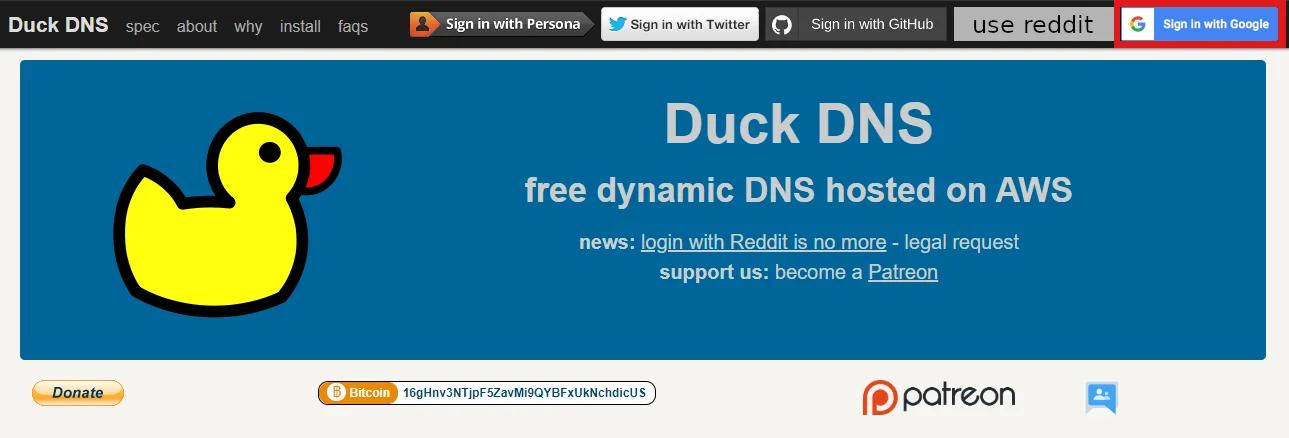
- Create a domain
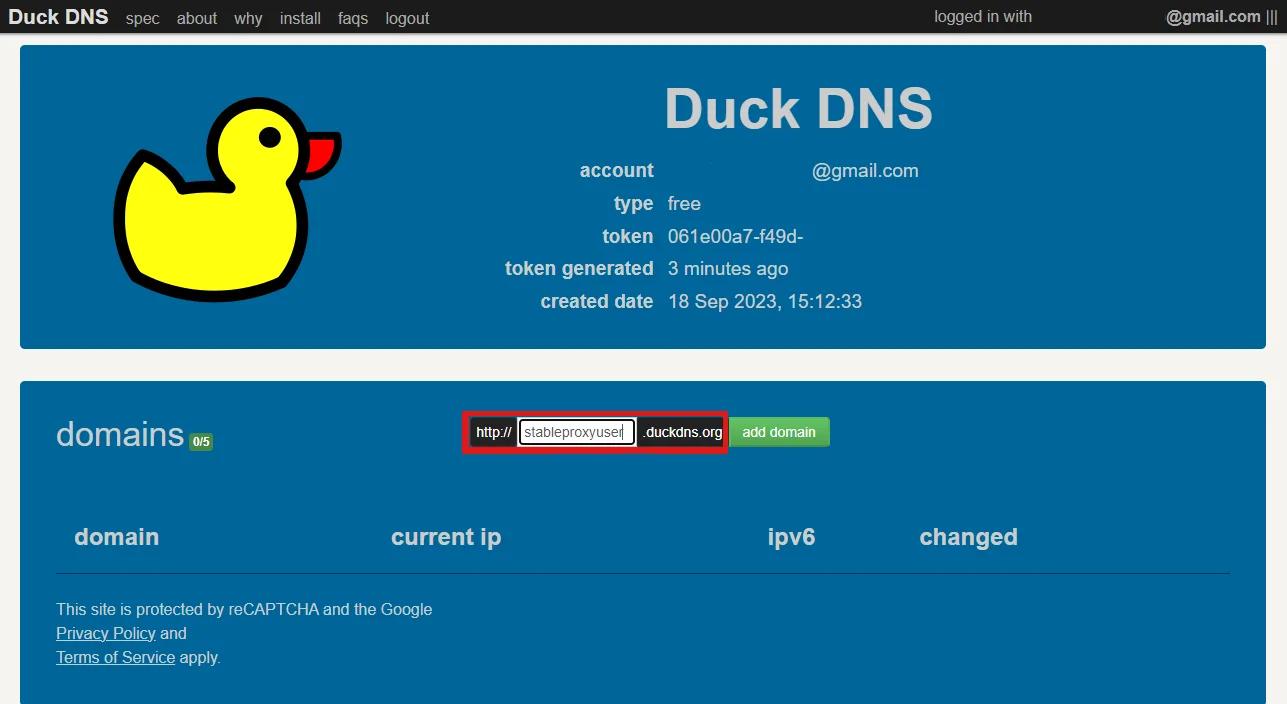
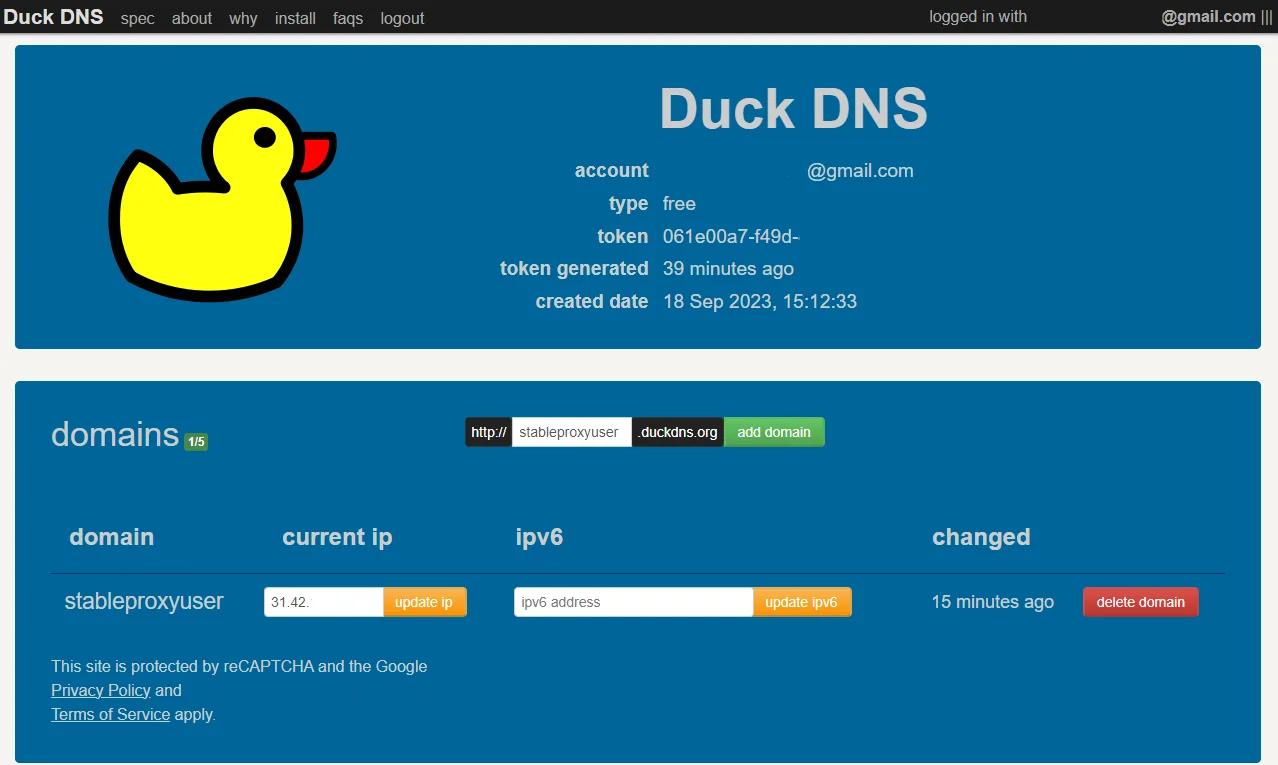
- Go to the control panel

- Set up
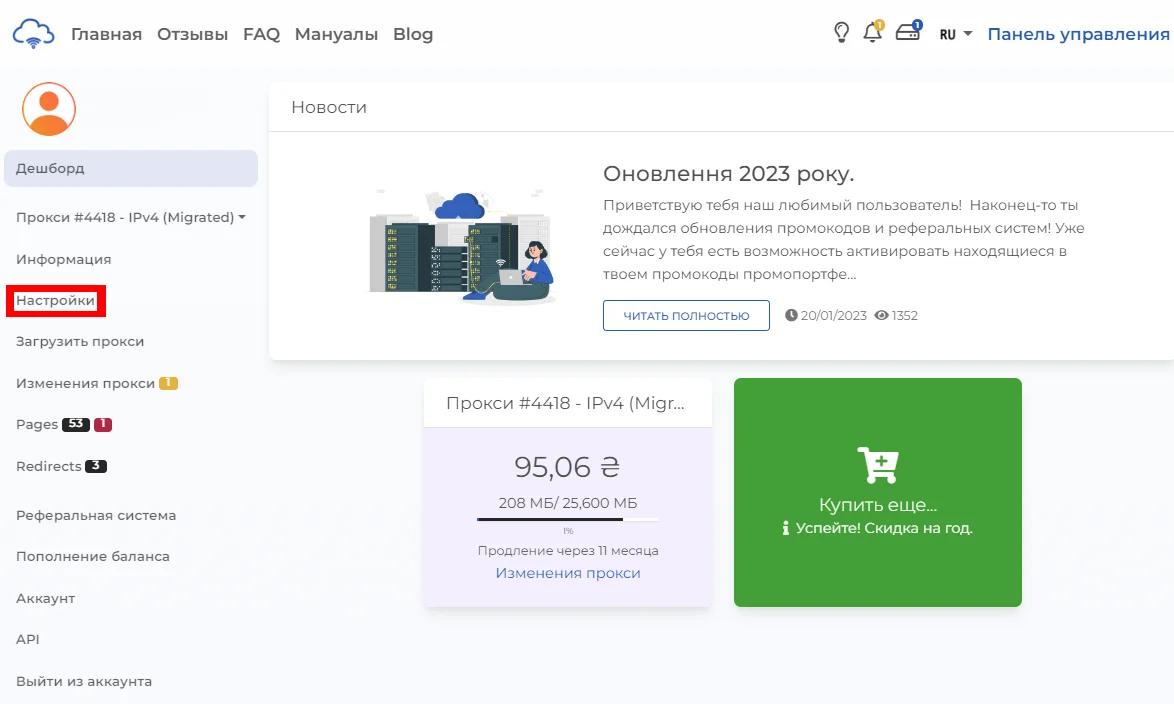
- Enter your domain in the "IP Authorization" section and save
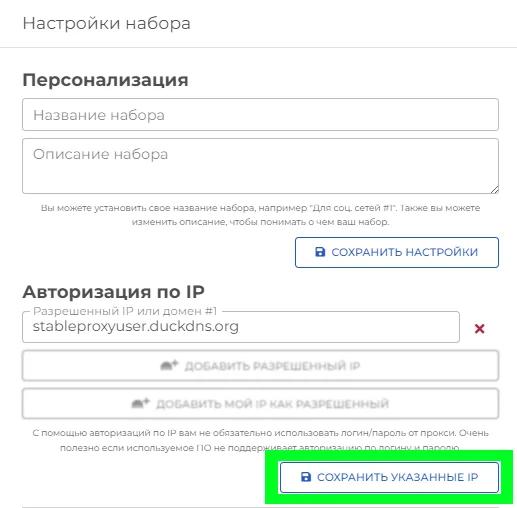
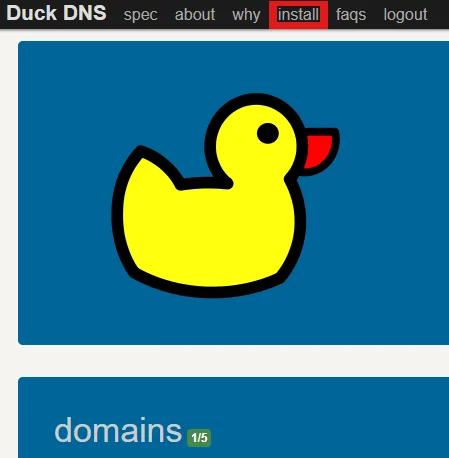
- Go to download
- Enter your domain and select the operating system
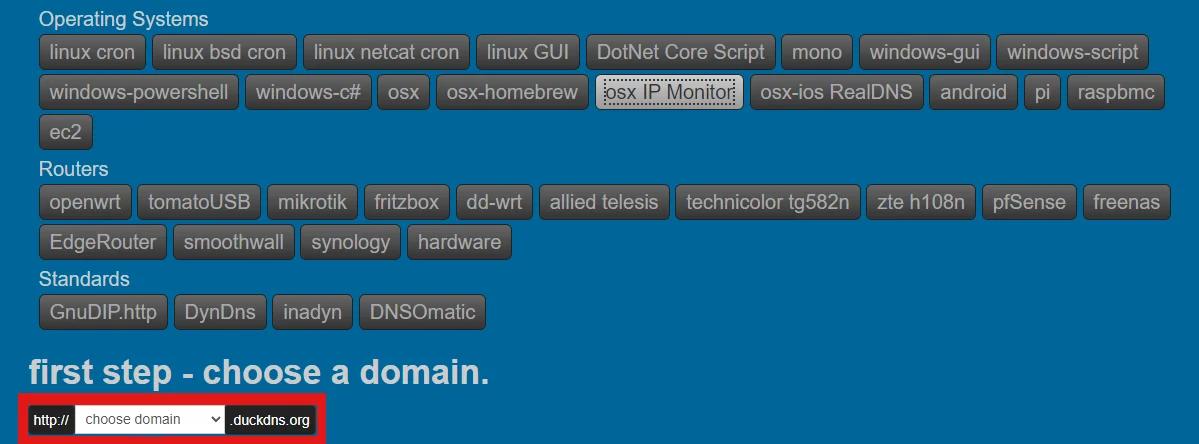
DuckDNS for Windows in C#
This update tool tries to be simple and understandable even for experienced users.
Conclusion
Your network devices can be accessible even with a dynamic IP address, thanks to programs like Duck DNS, which provide Stableproxy authorization for your Duck DNS domain. These programs allow you to connect to your device without the need to change the IP in the settings every time it changes. This is especially useful if your software does not support login and password authorization.


StableProxy.pl © 2023-2024