
How to set up a proxy in Ghost Browser - Proxy configuration
Published
Jun 27th, 2026
Topic
Manual
Reading time
10 mins


Author
StableProxy
About Ghost Browser
Imagine a situation when you're using a web browser to perform complex tasks and run into a number of obstacles, such as the limitation on simultaneous connection or the impossibility of managing multiple accounts on one website via cookies. Here's where specialized browsers like Ghost Browser come to the rescue. This browser allows you to bypass the aforementioned limitations and elevate your Internet interaction to a new level thanks to the use of proxy servers. With proxy servers, you'll be able to scrape tasks from a variety of IP addresses, which gives your browser even more possibilities.
Setting Up Ghost Browser:Instructions
- Download and launch Ghost Browser.
- Click on Browser Setup in the lower left corner of the interface.
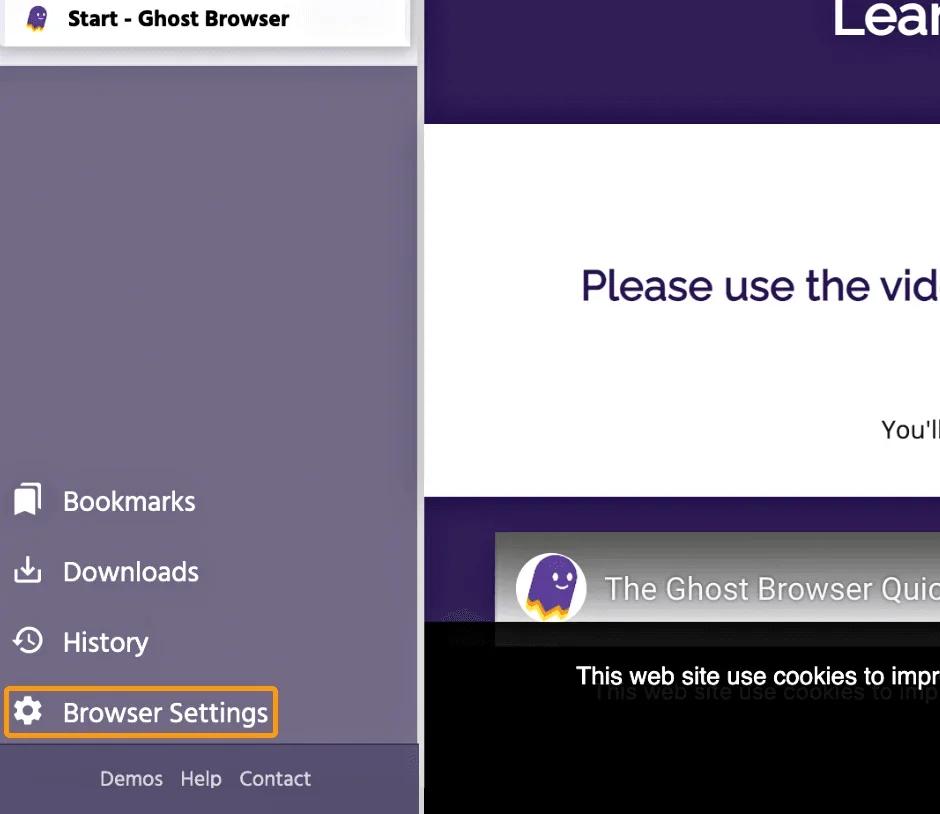
- Select "Advanced".
- Next, choose "System".
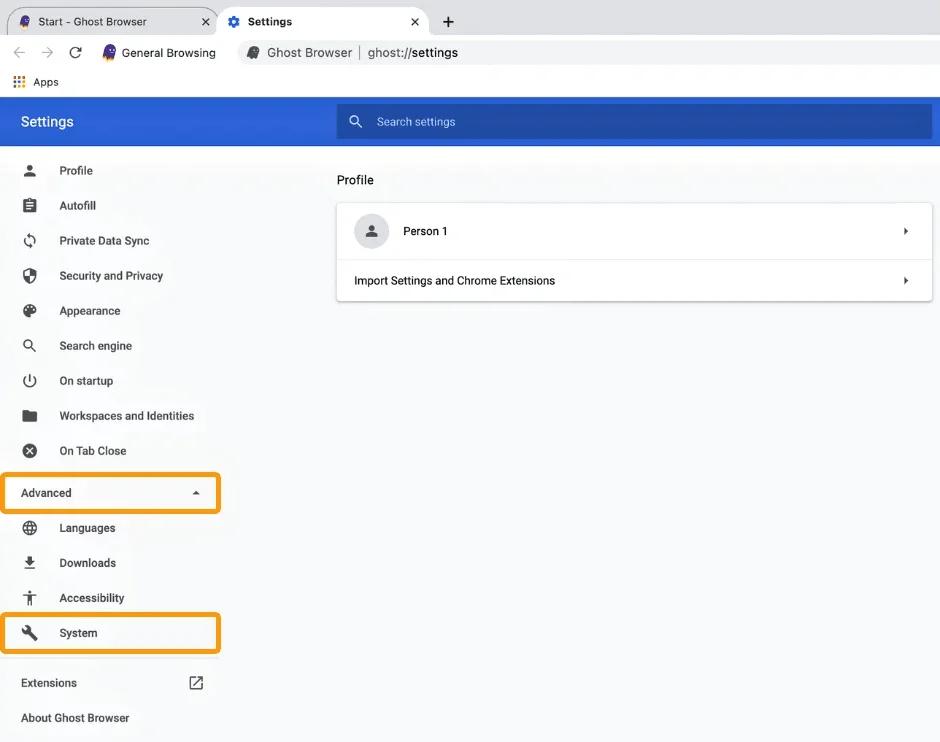
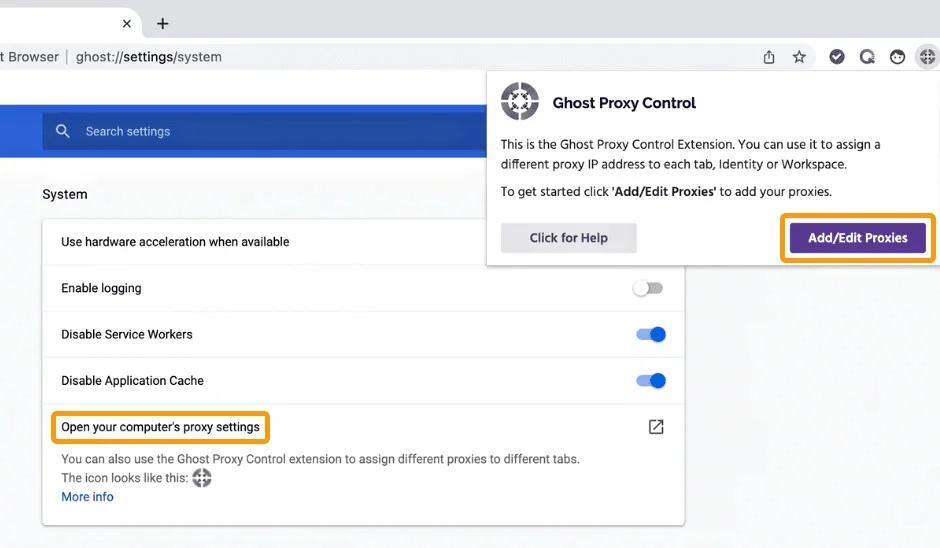
- In the new window that opens, click on Open proxy settings on your computer.
- Click on the Ghost Proxy Control icon.
- Select Add/Edit Proxy.
- In the next window, select Add Mass Proxies.
- Click on Export Proxy List to get a pre-formatted .CSV file.
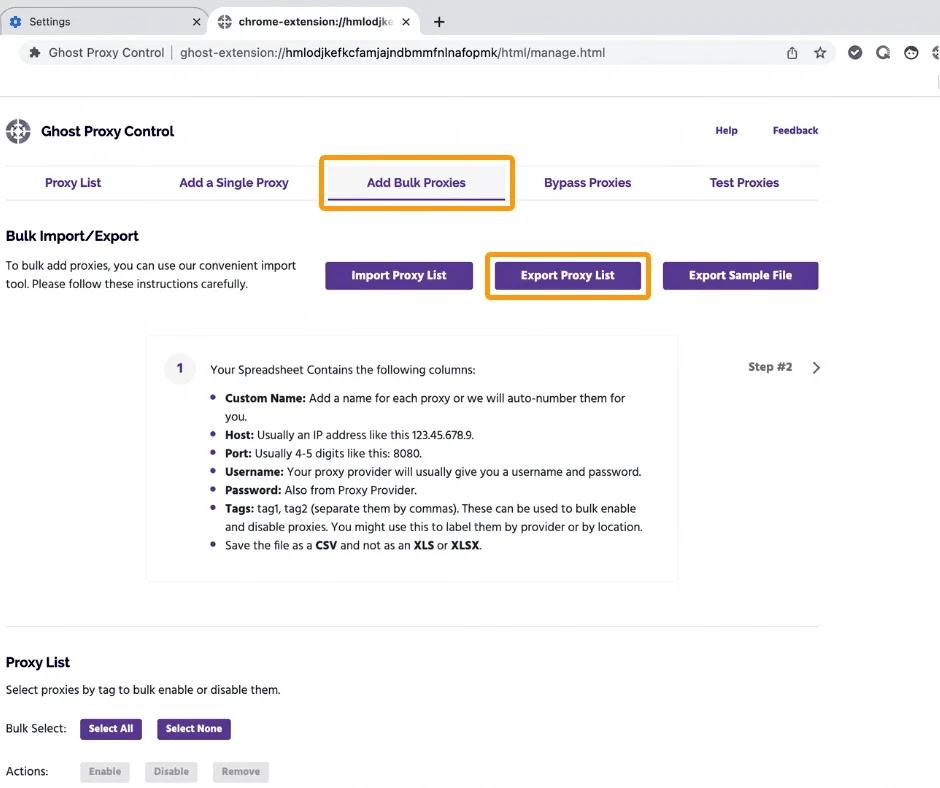
- Open the file and enter the proxy data. Please note that the file's name must not be changed.
- If necessary, fill in the Custom Name column or leave it empty for automatic numbering.
- Finally, choose Import Proxy List to import the proxies.
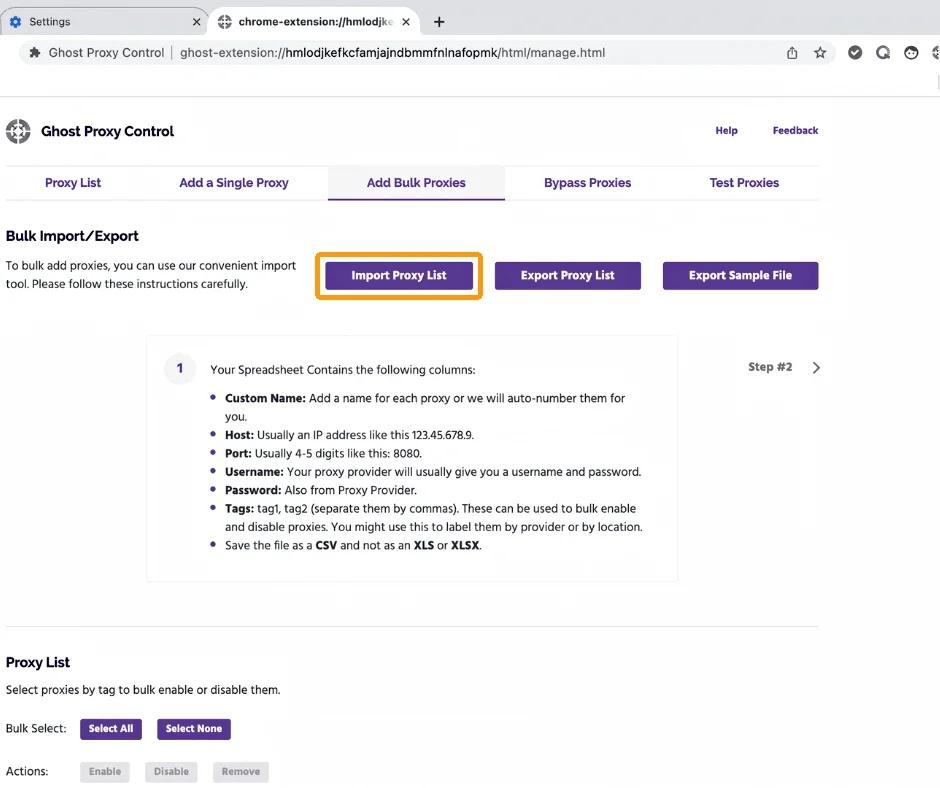
- Select the updated .CSV file to pass the proxy information to the Ghost Control Proxy settings page.
- If necessary, you can test your proxy servers by clicking on Test Proxies, entering the target internet link, and selecting Test.
Your settings are complete! You have successfully set up Stableproxy's proxy servers on Ghost Browser.


StableProxy.pl © 2023-2024