
How to set up proxy servers in Lalicat - Step-by-step instructions
Published
Jun 26th, 2026
Topic
Manual
Reading time
10 mins


Author
StableProxy
What is Lalicat?
Lalicat is a specific type of web browser known as an anti-detect browser. It operates multiple disparate instances based on Chrome, each working as an independent device with its unique IP address, browser profile, and fingerprint.
The main feature of Lalicat is its ability to manage multiple browser profiles simultaneously, allowing users to keep separate accounts for each profile. This helps to simulate the use of multiple devices and prevents the association of accounts with one user. With the ability to circumvent detection and the risk of being blacklisted or blocked, Lalicat is useful for activities like foreign ecommerce, website scraping, and brand protection.
To install Lalicat, follow these simple steps:
- Go to Lalicat's official website.
- Download the installation file.
- Run the installer and follow the instructions.
To set up proxy servers in Lalicat, follow these steps:
- After installing Lalicat, open the application and register or log in if you already have an account.
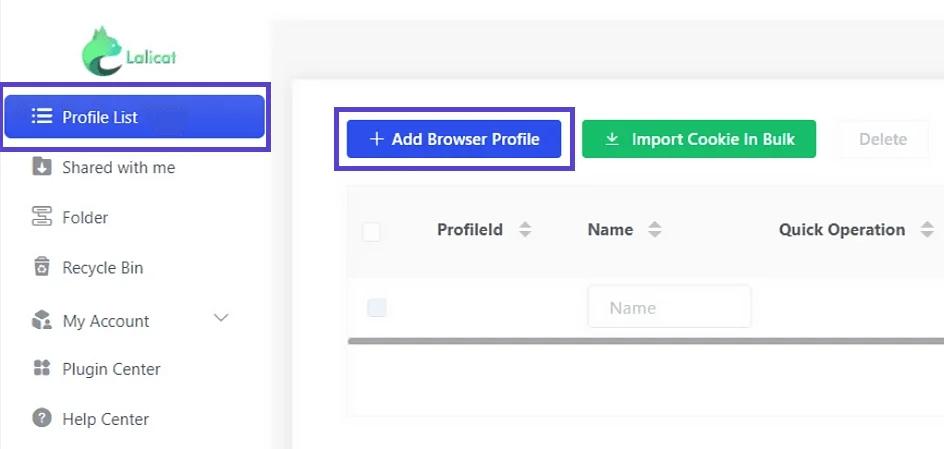
- On the main screen, click on "Browser List", then select "+ Add browser profile" to set up a new browser instance.
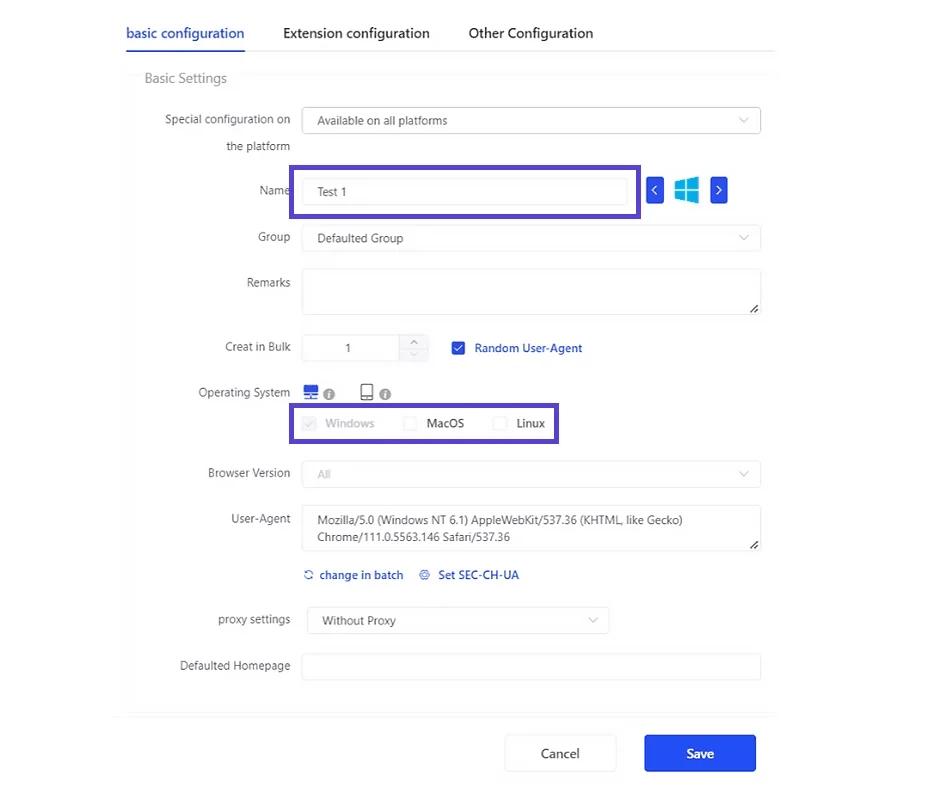
- Enter the browser profile name and select the emulated operating system. Also, set any necessary parameters according to your planned work.
- Specify the proxy server settings according to the information on your control panel

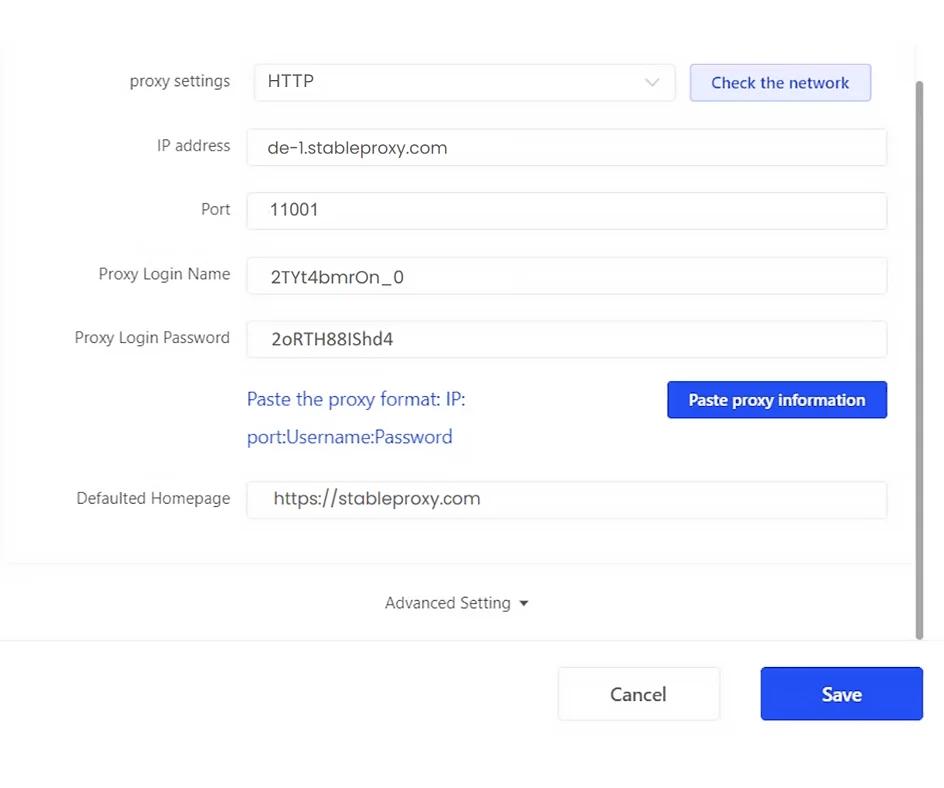
- Enter the Stableproxy username and password.
- To complete the settings, click on the Save button. After saving, you will be able to open the browser and start using it.
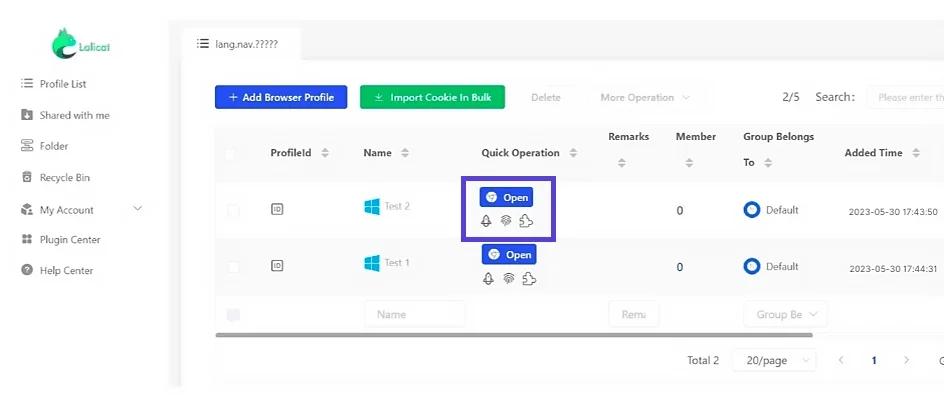
That's it! You have successfully integrated your Stableproxy proxies with Lalicat.


StableProxy.pl © 2023-2024