
How to set up a proxy for MuLogin - Step-by-step instructions
Published
Jun 24th, 2026
Topic
Manual
Reading time
10 mins


Author
StableProxy
What is MuLogin program?
MuLogin is a software product designed to facilitate the process of working with multiple accounts on various internet platforms and sites. This software allows you to freely move between various accounts without the need to constantly log in and out.
Configuring a proxy in MuLogin is not difficult. Let's provide a step-by-step guide:
- Start by downloading MuLogin from its official web resource. After downloading the software, install and launch it on your computer.
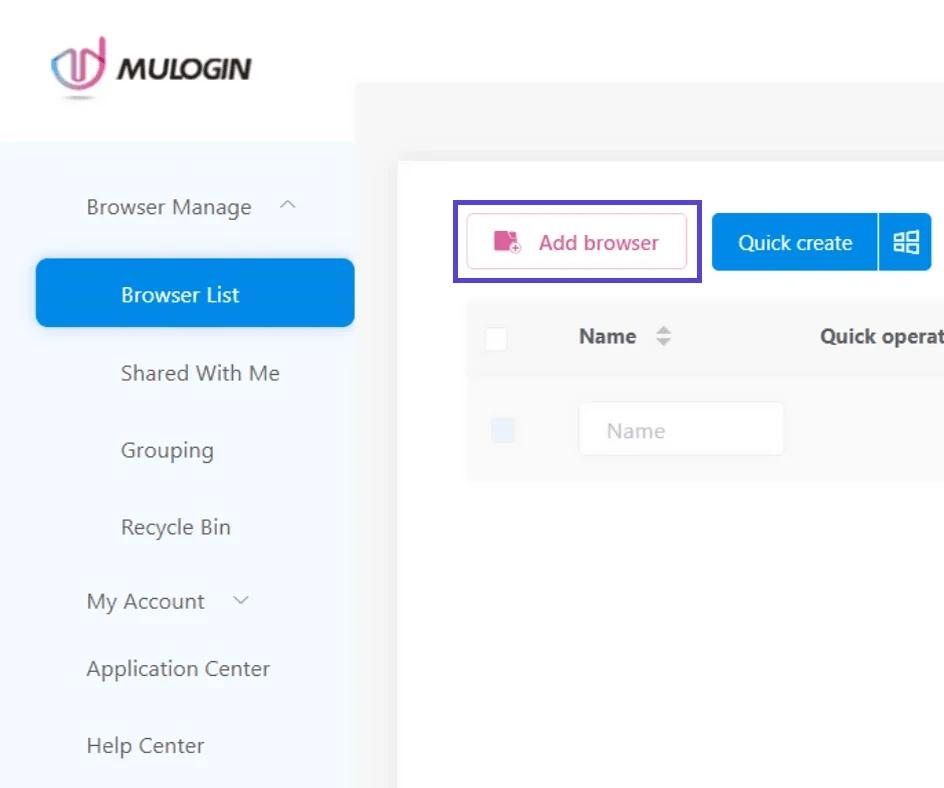
- Once MuLogin has launched, select and click on the "Add Browser" option.
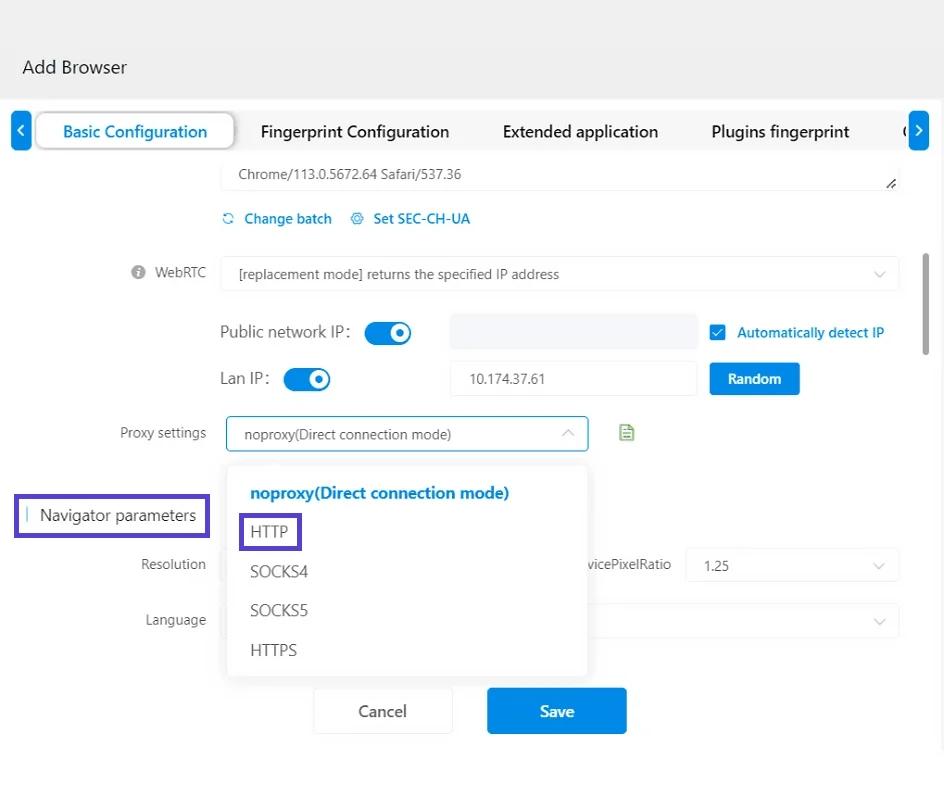
- You will enter the Basic Configuration section in the MuLogin software. Scroll down to the Proxy Server Settings section.
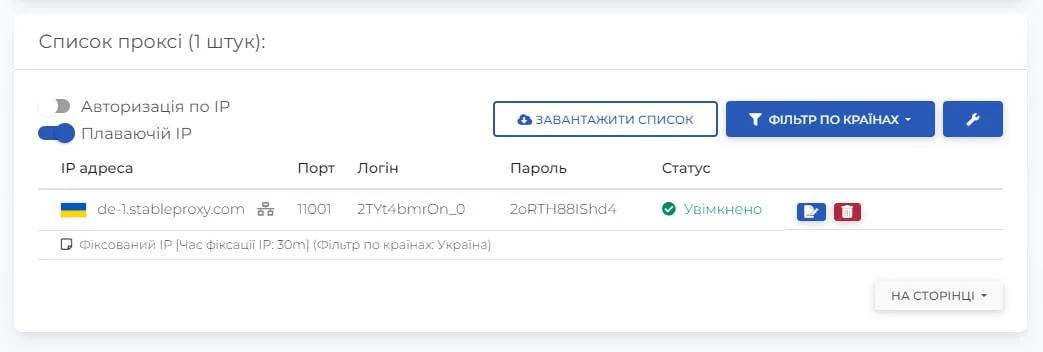
- Complete the proxy server settings fields, using information from the control panel.
- After entering all the necessary data, you should verify that the settings are correct. The report will provide general information about the IP and country.
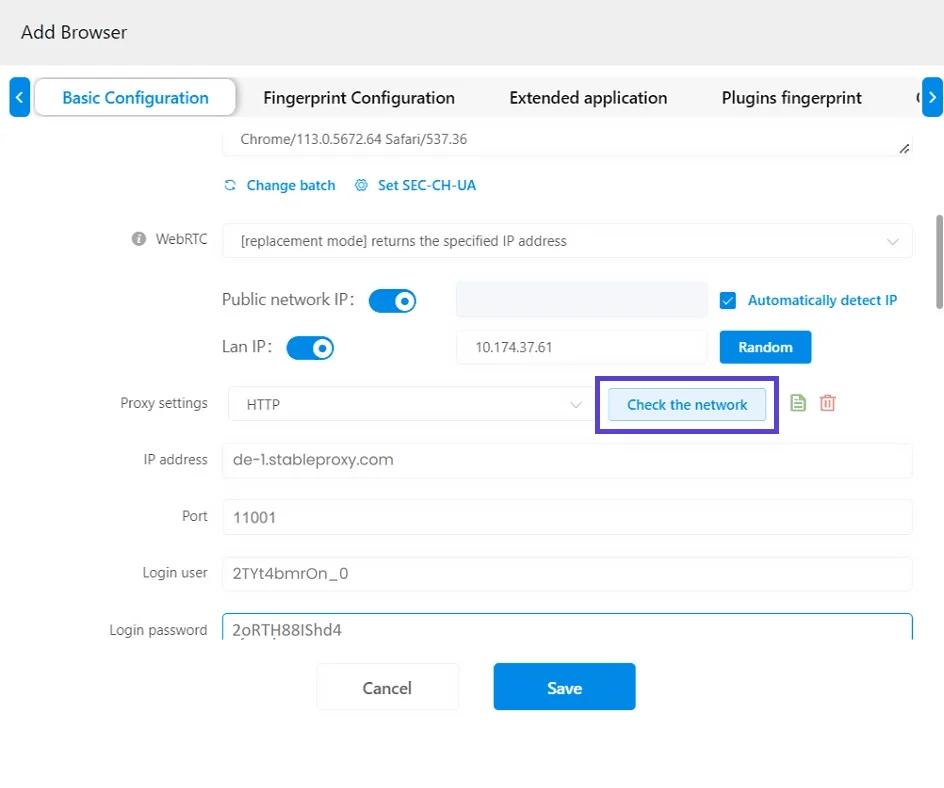
Note that when using residential proxies, location settings are made through the login credentials - Finally, enter a Display Name for this configuration, scroll down, and click the Save button.
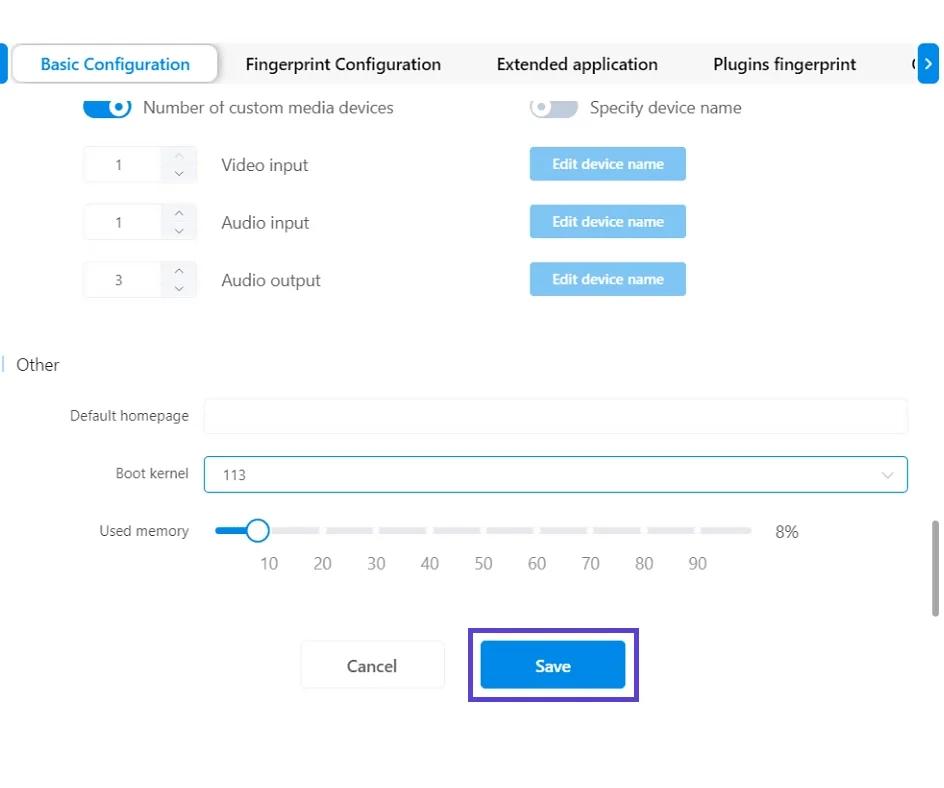
The setup process is now successfully completed!


StableProxy.pl © 2023-2024