
How to set up a proxy server in Postman - Guide from StableProxy
Published
Jun 24th, 2026
Topic
Manual
Reading time
10 mins


Author
StableProxy
Postman Program Review
Postman is a tool that enables the development, modeling and experimental testing of APIs or application program interfaces. This tool offers a comfortable mechanism for generating HTTP requests and exchanging data with APIs. Using Postman, developers have the opportunity to send requests, view returned responses, and test different API endpoints and parameters. This tool is widely used in software design to simplify API development and testing processes.
Working with Postman for designing, modeling, and testing APIs may require setting up a proxy server for sending requests. Proxy functions as an intermediary between Postman and the target server, providing an additional level of protection and handling HTTP(S) responses on your behalf.
Proxy server settings in Postman
There are two options to set the proxy server settings in Postman: use the proxy server settings of your operating system or configure the proxy server settings in Postman yourself.
Using system proxy server settings:
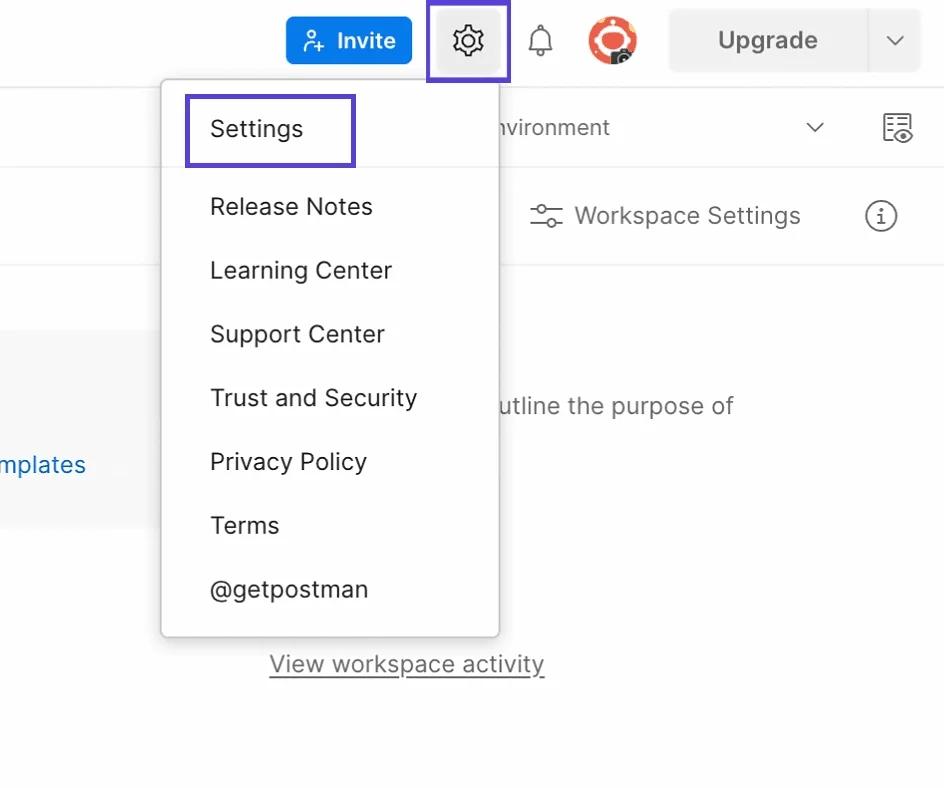
- Download and run Postman, then navigate to Settings (⚙️) > Settings > Proxy.
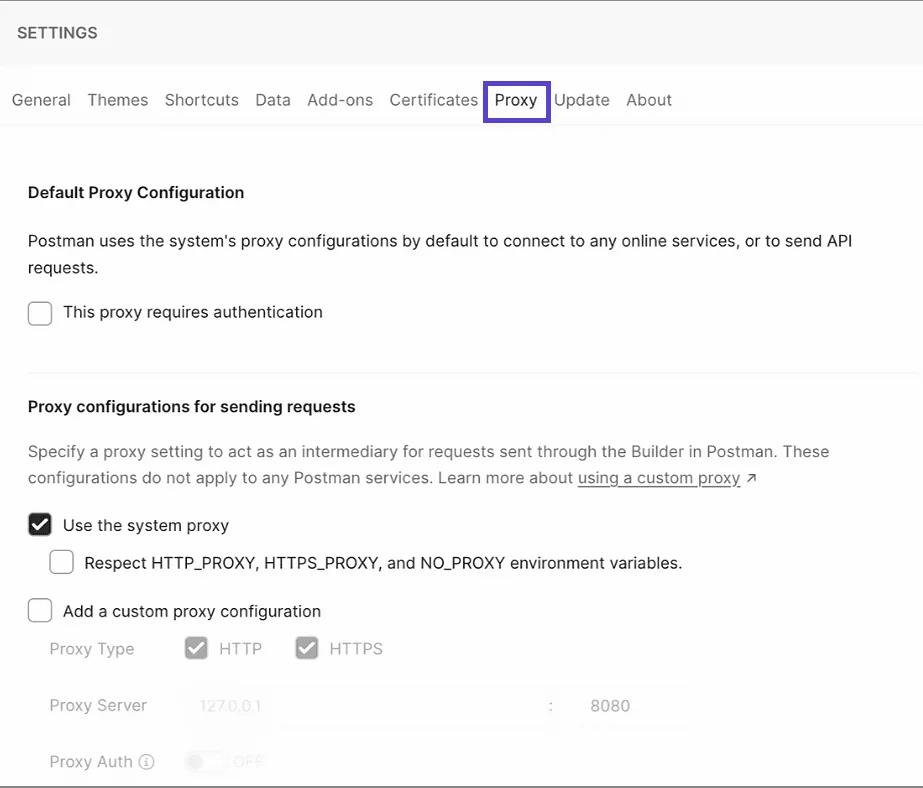
- If your system's proxy requires authentication, you can enable the "This proxy requires authentication" option in the "Default proxy configuration". Make sure that the Stableproxy account data has been entered, i.e., the data you used when creating a user in the Stableproxy Developer Panel.
- After making all changes, click the Save button and restart Postman.
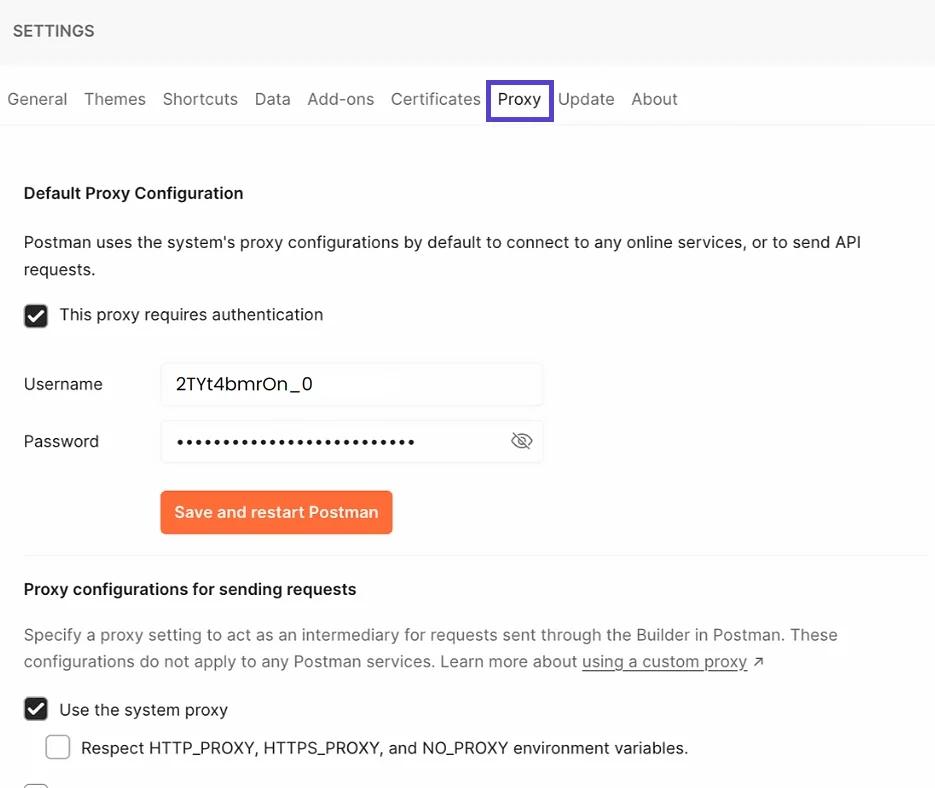
Now Builder can send requests using the proxy server.
Steps to use the system proxy for requests in Postman Builder.
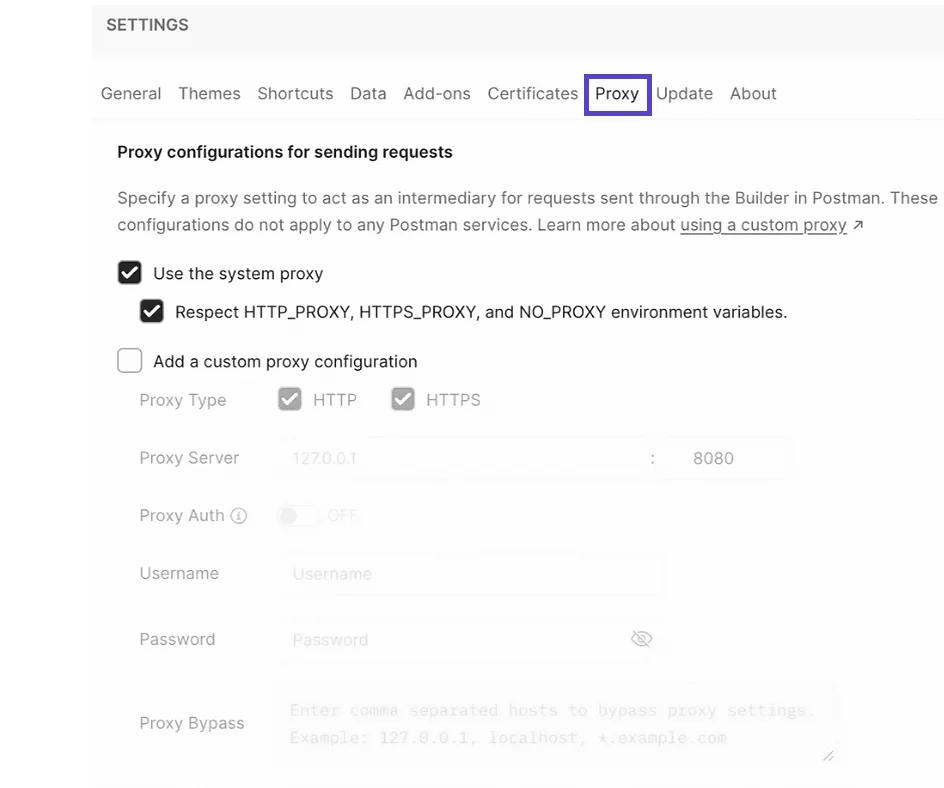
- Highlight the "Proxy configurations for sending requests" column and enable the "Use system proxy" option.
- If you wish, you can activate the "Respect environment variables" parameter to use the system proxy server settings.
NOTE: Make sure the "Add your own proxy settings" option is not activated so that Postman does not bypass the system proxy and does not use its proxy configuration instead.
That's all you need! With these simple guides, you can easily set up proxy servers for specified programs, adapting them to your individual requirements.
Enjoy improving your web page view.
Unique proxy server settings
To use the Stableproxy proxy server to send HTTP(S) requests in Postman Builder, do the following.
- Go to settings (⚙️) > Settings > Proxy.
- Activate the setting "Add your own proxy settings".
- Set up the proxy settings by entering the necessary data, such as the proxy type, host, port, username, and password.
- Fill in the proxy settings based on the data in the control panel

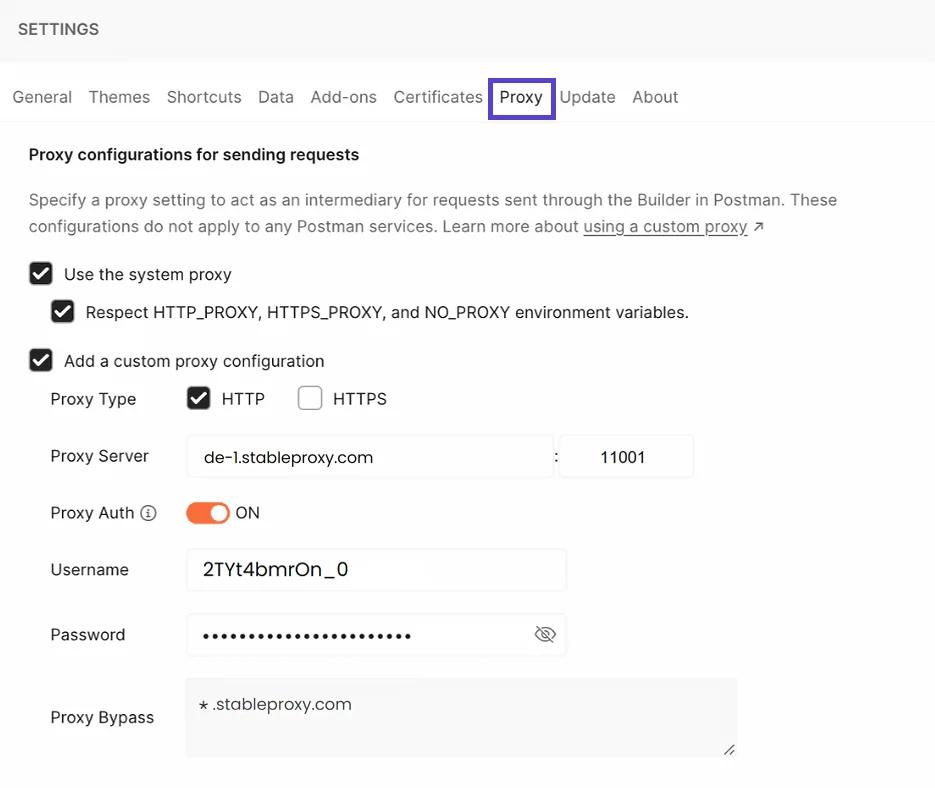
- Activate Proxy Authorization and enter the Stableproxy user account data.
NOTE: You can use Proxy Bypass to define a list of hosts ignored by the custom proxy configuration.
You have successfully set it all up! Now you can send your requests via proxy in the builder, ensuring increased security and stealth.
Common problems with setting up the Postman proxy server
If you have encountered problems with the proxy server while using Postman, here are a few common solutions:
No proxy server settings are available - Make sure you have the latest version of Postman installed and double-check all the proxy server settings provided in this guide.
407 Proxy Authentication Problem - Make sure you have entered the username and password in the system or user proxy settings, and also double-check the proxy configuration in your operating system.
Missing postman-proxy-ca.crt - Install OpenSSL on your system and restart Postman to resolve this issue.


StableProxy.pl © 2023-2024