
How to add Stableproxy Screaming Frog proxy servers - guide
Published
Jun 27th, 2026
Topic
Manual
Reading time
10 mins


Author
StableProxy
Screaming Frog
Screaming Frog is a tool that simplifies SEO work by collecting data from various websites. This tool can be used on devices running MacOS, Linux, and Windows. Screaming Frog can extract available data from 500 URLs. If you need to process a larger number of URLs, you might consider subscribing to a paid plan.
The relevant SEO tasks professionals use Screaming Frog for, include:
- Identifying redirects
- Detecting inactive links
- Identifying duplicate content
- Studying metadata
- Evaluating website structure
And many other tasks!
Implementing Screaming Frog proxy server
The manual is written for macOS
Before starting the implementation process, make sure the appropriate software is downloaded and installed.
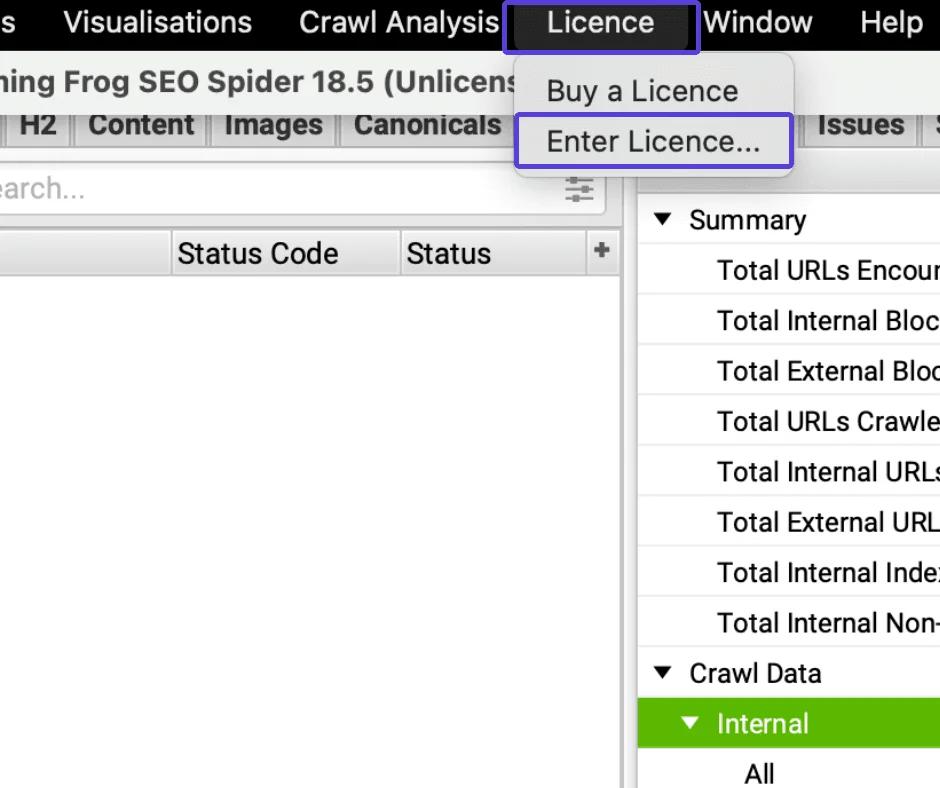
If you have a paid version, you will find the “Enter License” option in the top menu list.
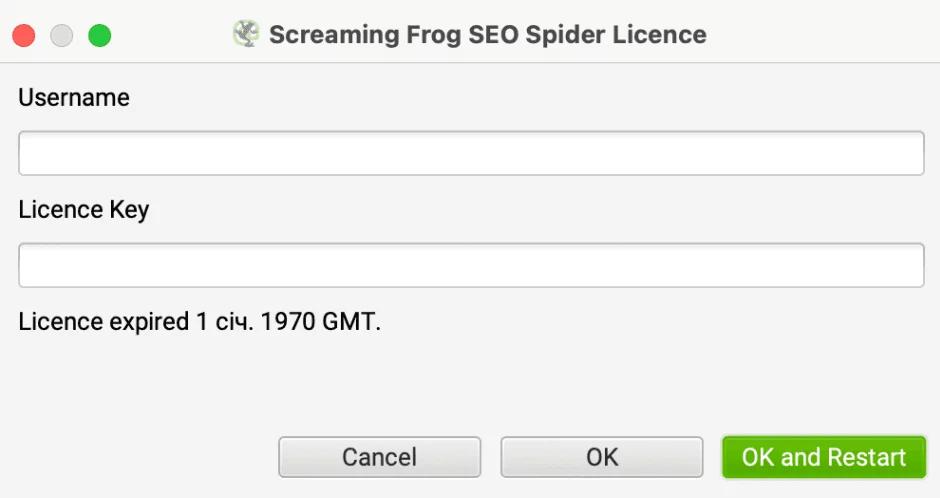
A window will appear asking you to enter your username and license code. Simply enter it and click "OK" and "Restart". You should receive these details via email after registration.
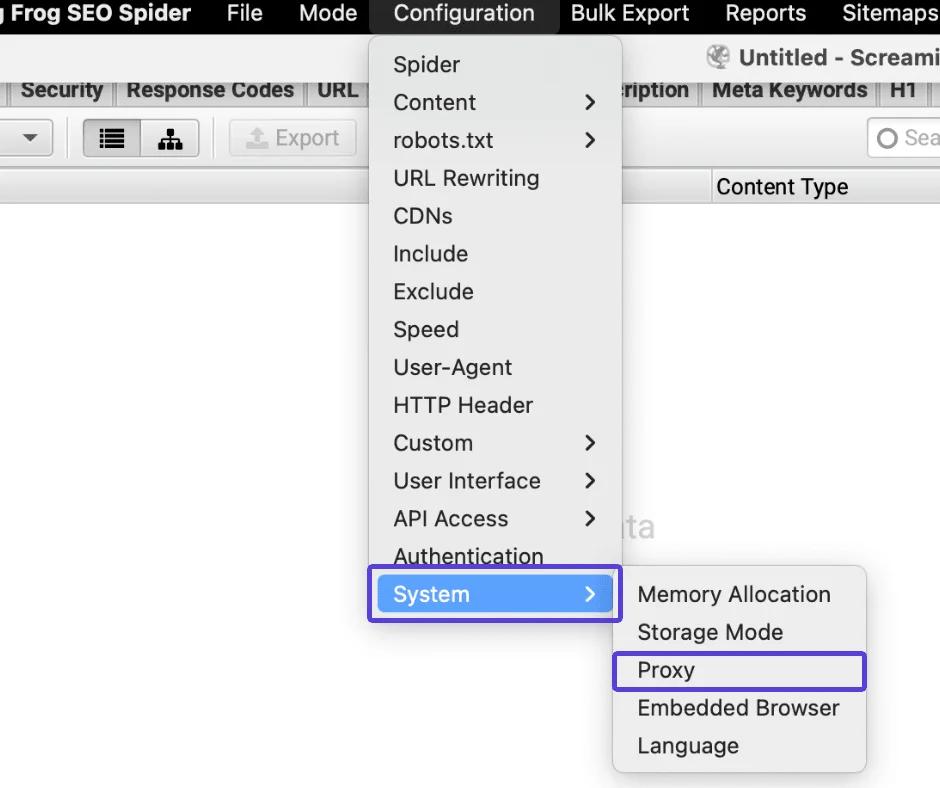
- Click on Configuration > select System > Proxy
- Enter the necessary proxy details.
A new window will open where you are asked to enter proxy server details. Make sure the "Use proxy server" option is enabled.
Fill in the proxy settings based on data from the control panel.

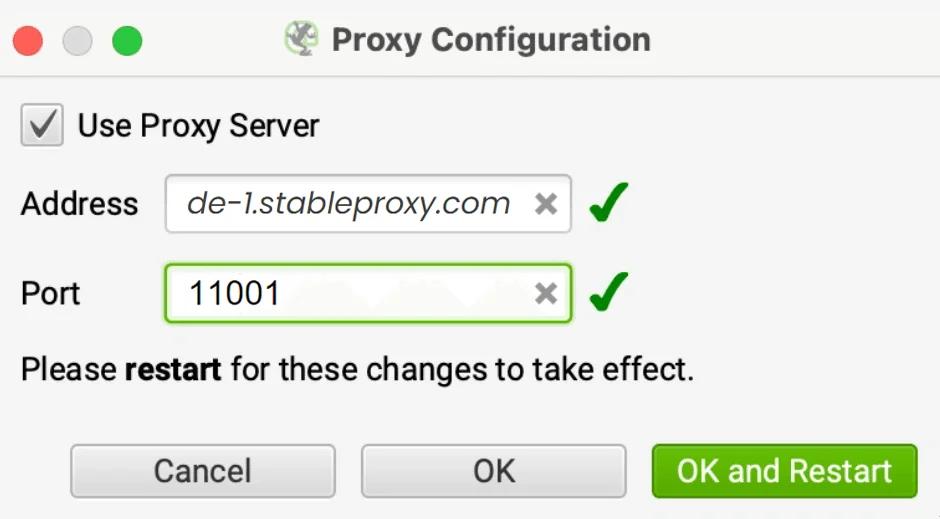
- To begin collecting open SEO data, at the final step, you need to provide a username and password, then click the OK button.
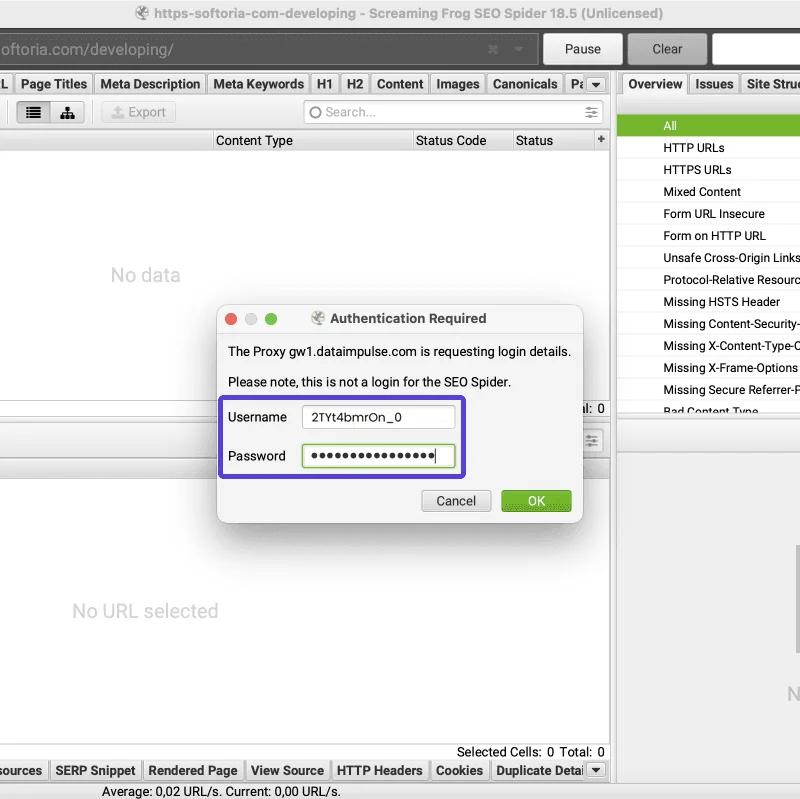
That's all there is to it! Now you are ready to start collecting SEO data without fear of anti-spam.


StableProxy.pl © 2023-2024