
How to connect a proxy to SwitchyOmega - Smple explanation
Published
Jun 26th, 2026
Topic
Manual
Reading time
10 mins


Author
StableProxy
SwitchyOmega
SwitchyOmega is a browser extension that provides easy switching and management of proxy settings in the browser. With SwitchyOmega, the user is able to easily switch between proxy servers, set proxy parameters for different websites, and enhance the convenience of using the browser.
The process of using proxy servers with SwitchyOmega is quite simple. Follow these steps:
- Download the SwitchyOmega extension from the Chrome Web Store or Firefox Add-ons.
- After the installation is complete, go to the SwitchyOmega settings.
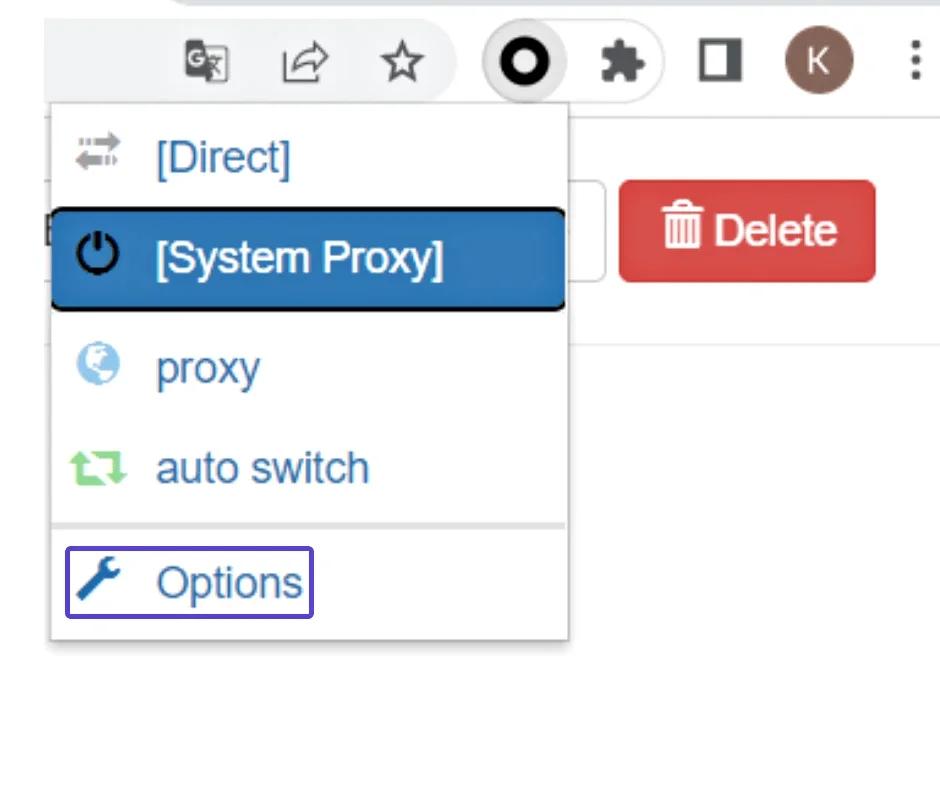
- Click on the "New Profile" button to create a new profile.
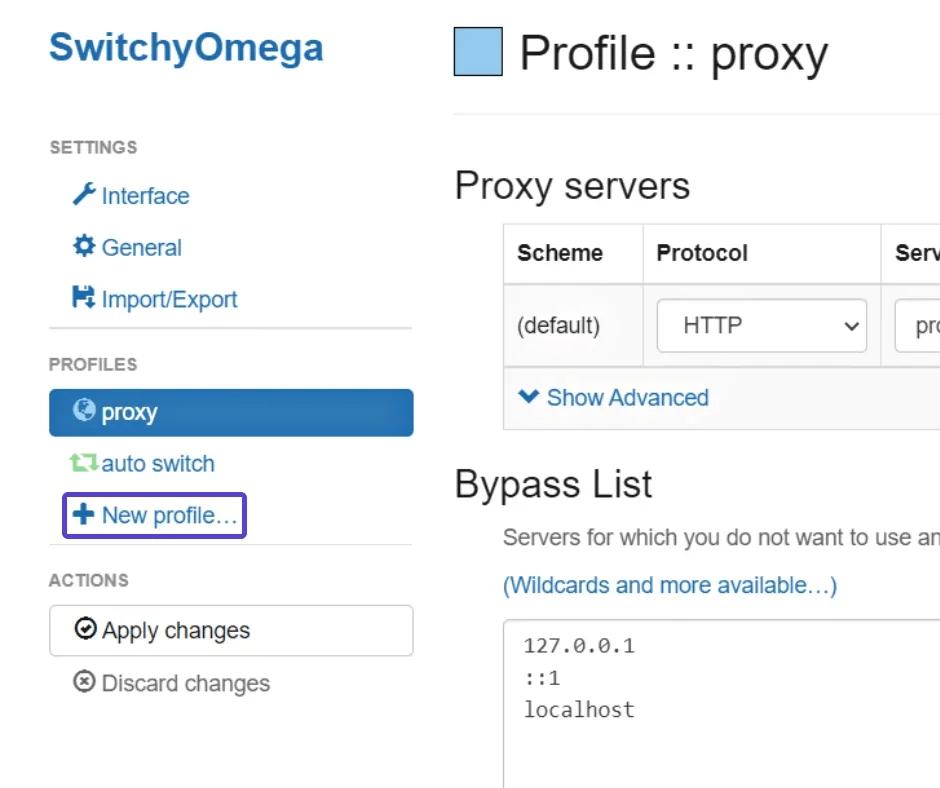
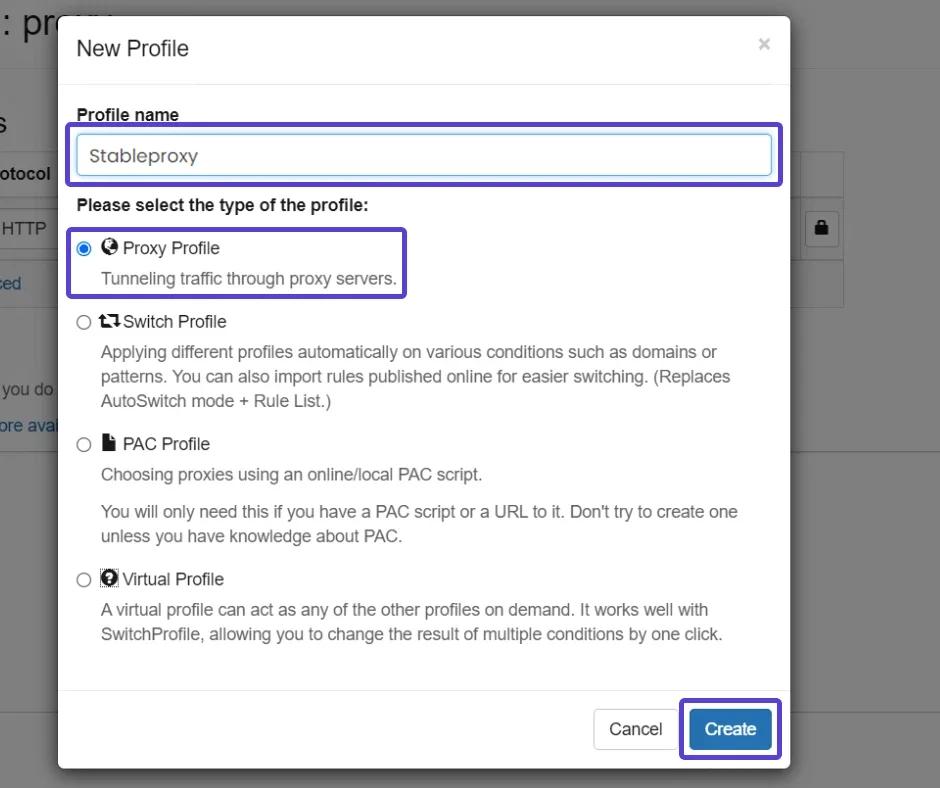
- Give your profile a name that is easy to remember.
- Define the profile type as "Proxy Profile" and click the "Create" button.
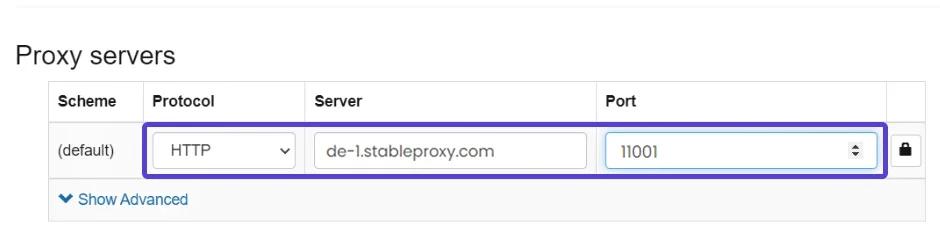
- Change the protocol to HTTP.
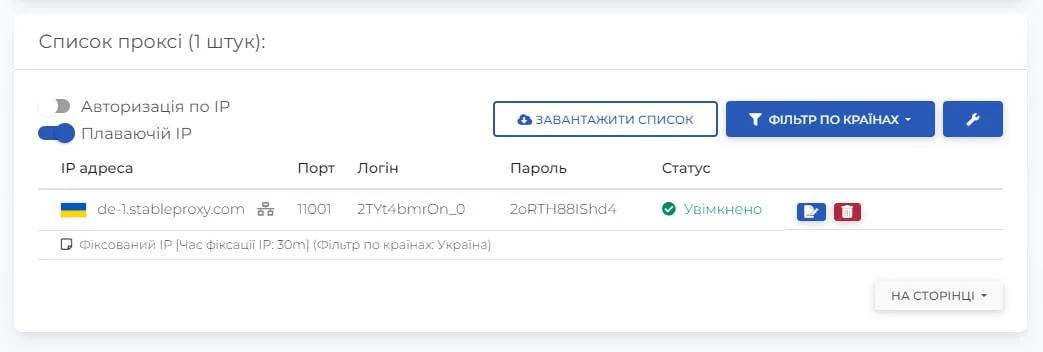
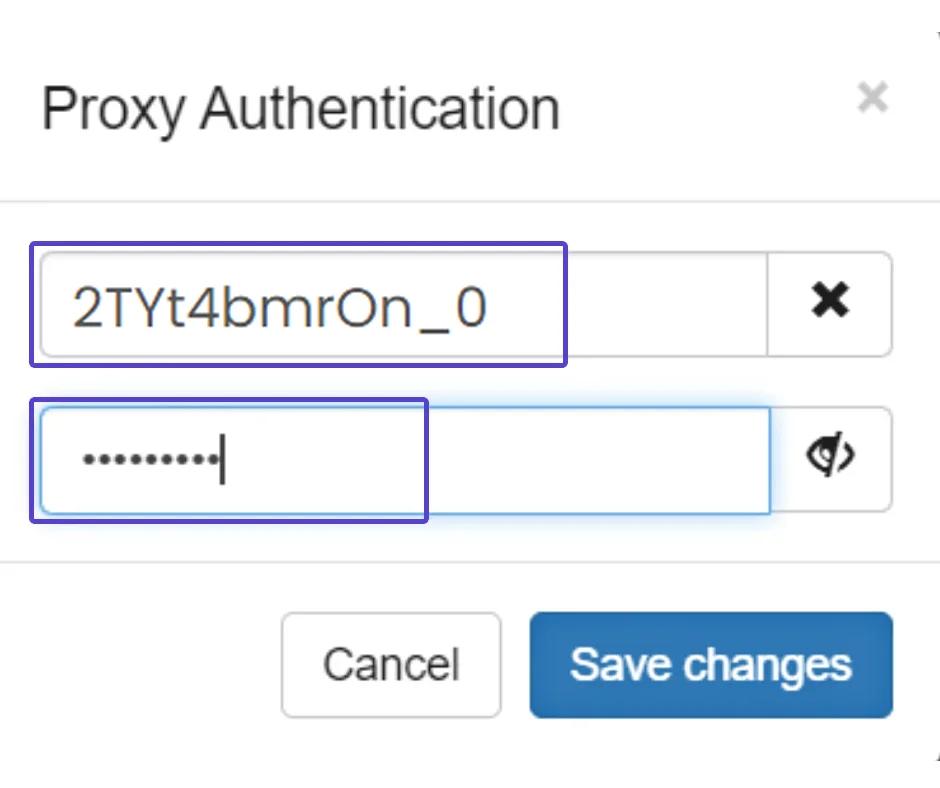
- After entering the relevant proxy server data, be sure to click on the Lock button on the right to lock the settings.
- Adapt the proxy server parameters based on the information in your control panel
- Save the changes.
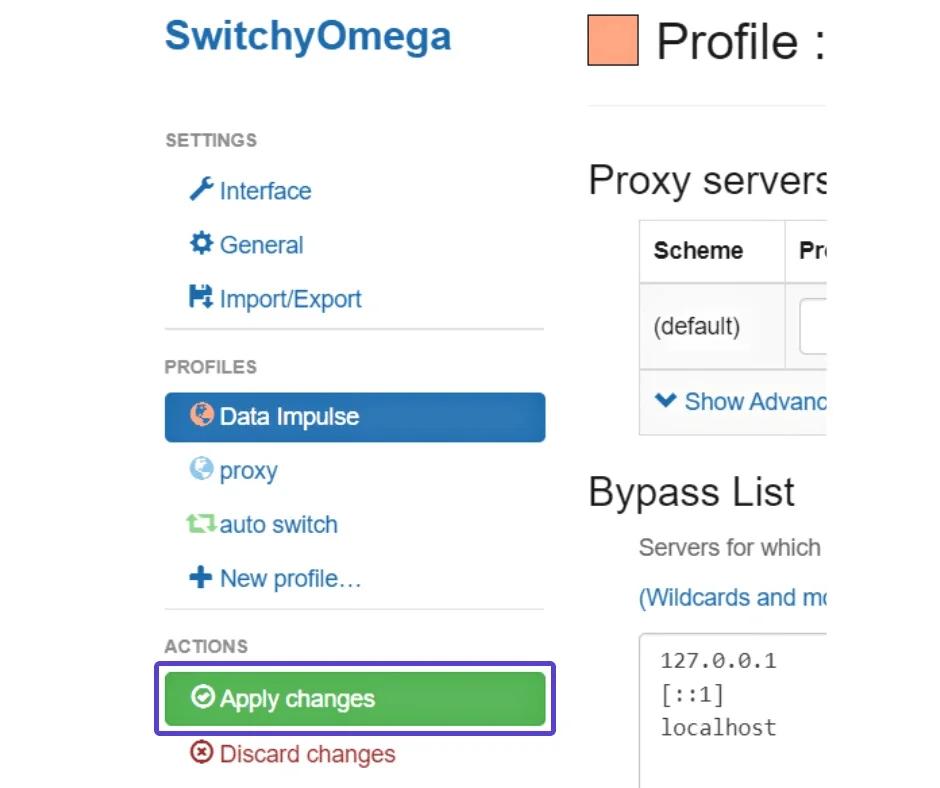
- Activate the changes.


StableProxy.pl © 2023-2024