
How to set up a proxy server in Undetectable - Instructions from StableProxy PL
Published
Jun 24th, 2026
Topic
Manual
Reading time
10 mins


Author
StableProxy
Undetectable: Anti-Detect Browser for Secure Online Activity
Undetectable is an advanced anti-detect browser designed to safeguard your online identity. It ensures anonymity by altering information about your device, such as IP address, browser settings, language, fonts, and more.
Step-by-Step Guide: Connecting StableProxy’s Proxy Server to the Undetectable Browser
To enhance your online security further, you can integrate StableProxy with Undetectable by following these simple steps:
-
Register on Undetectable and download the browser.
-
Open the browser on your device.
-
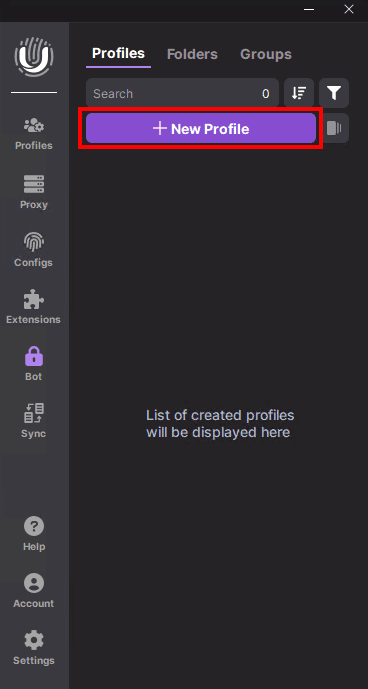
Click the "New Profile" button to create a new browsing profile.
-
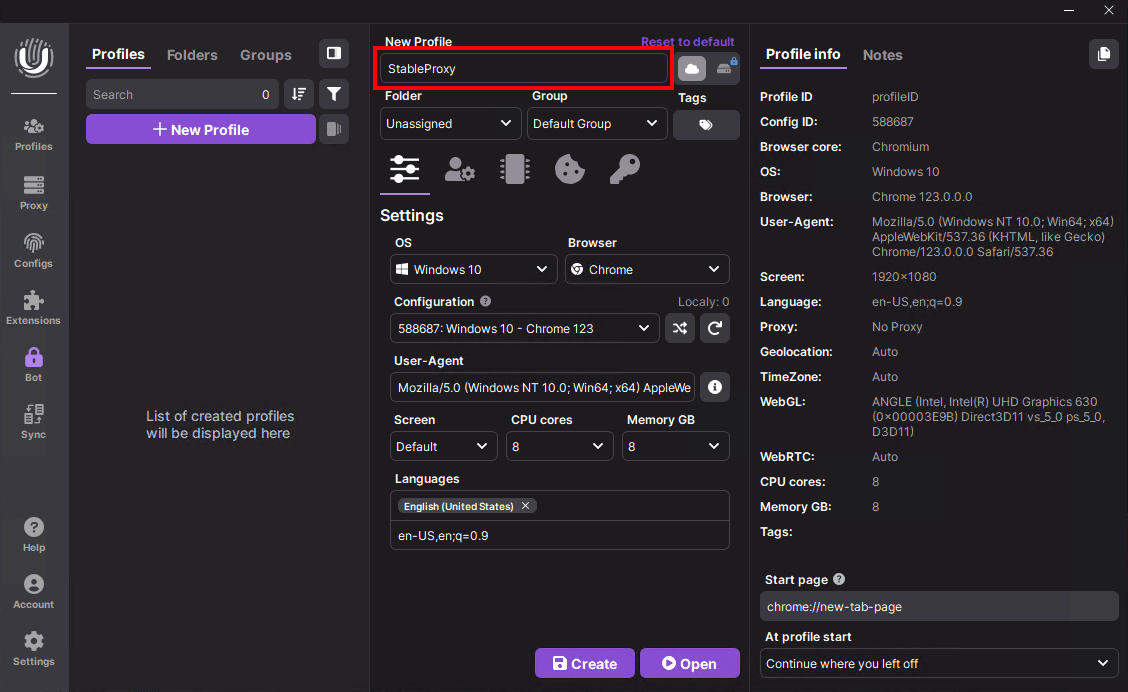
Assign a unique name to your profile.
-
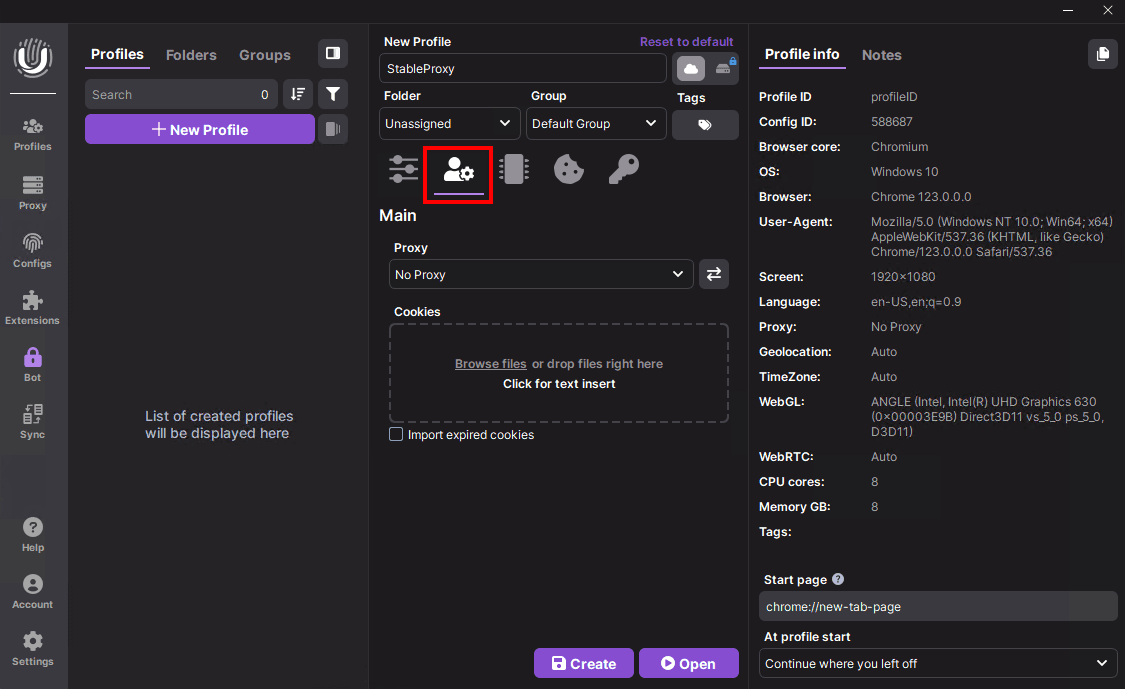
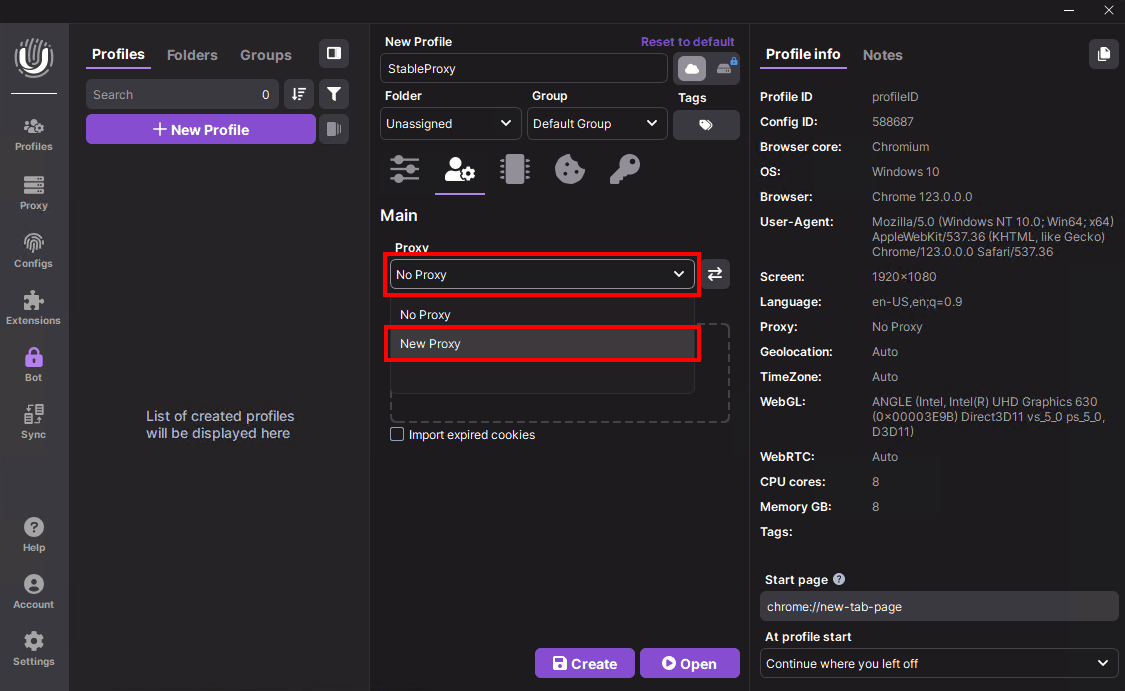
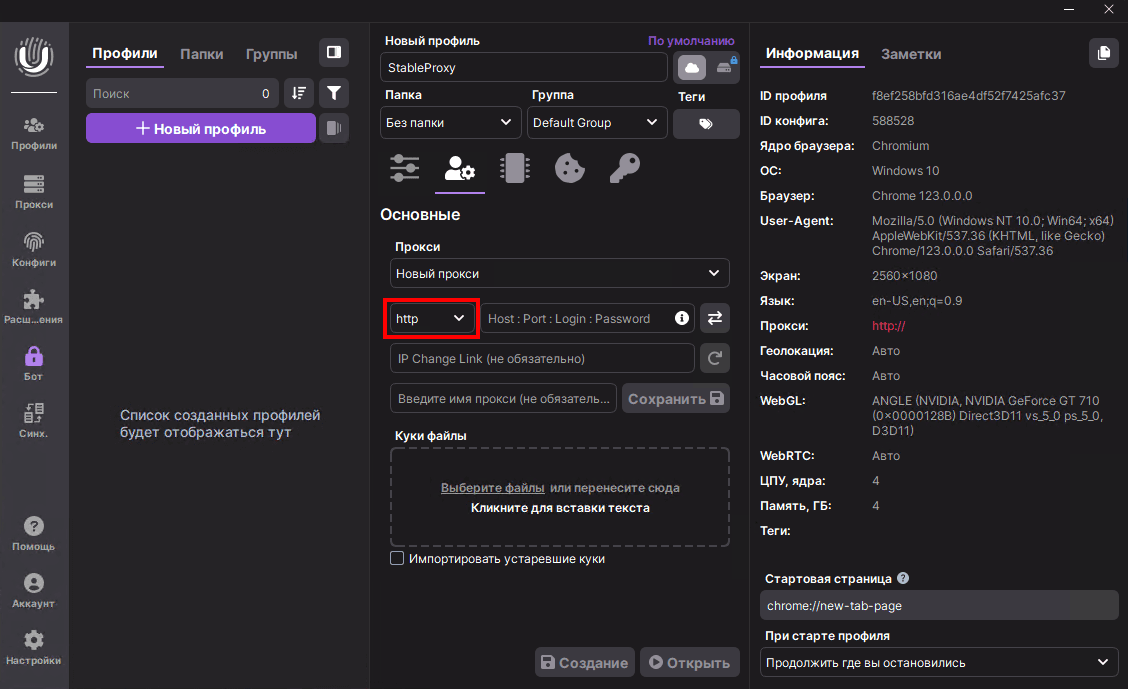
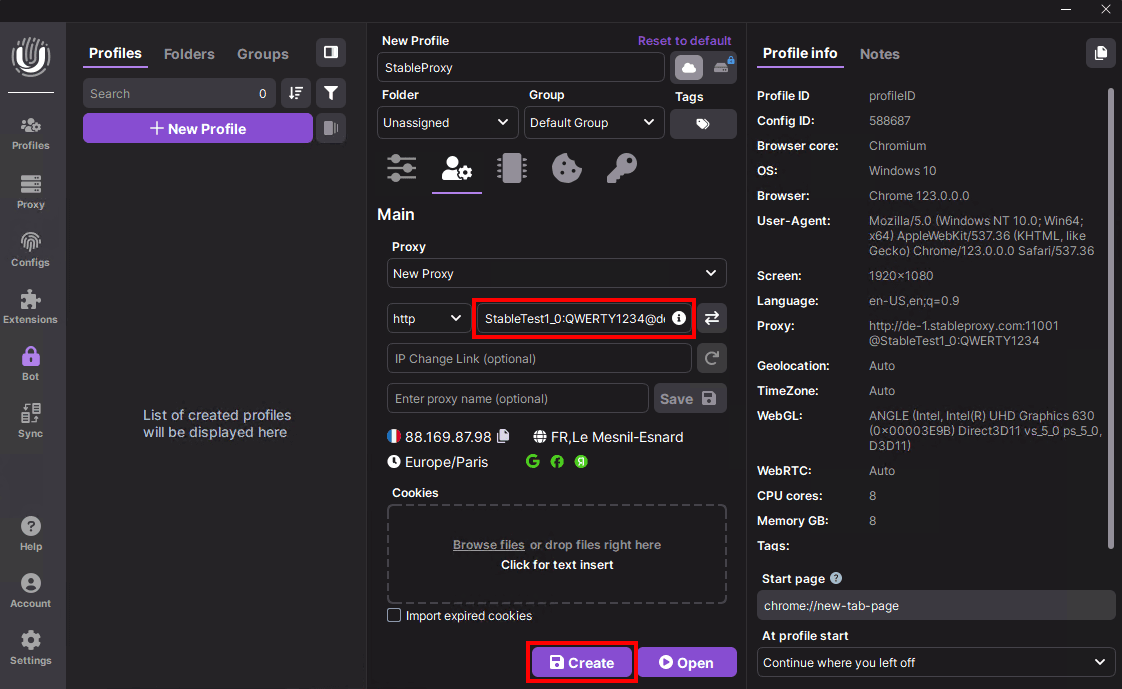
Navigate to "Basic Settings", select "Proxy", and click "New Proxy".
-
From the protocol options, choose HTTP.
-
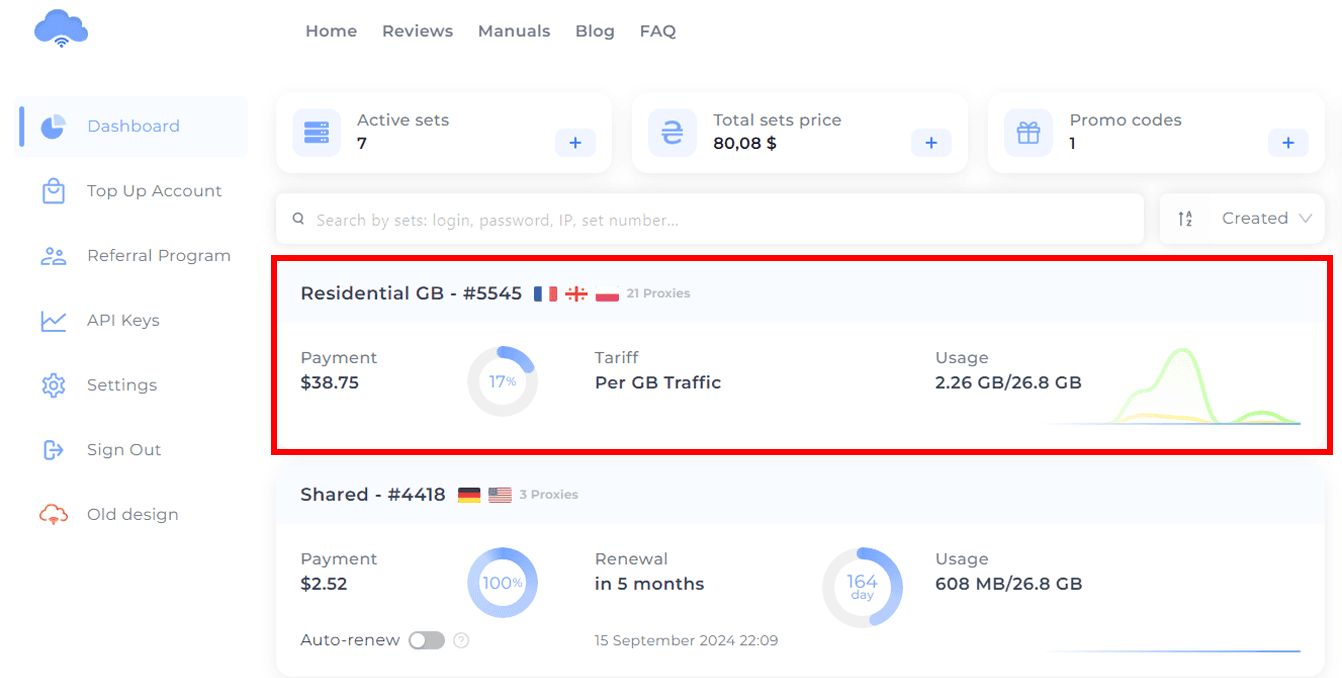
Log in to your StableProxy Dashboard and locate your active order.
-
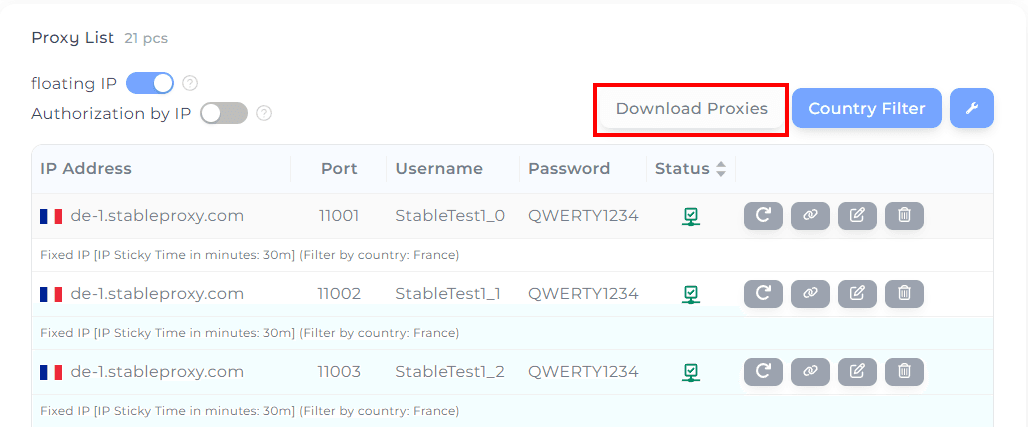
Download the list of proxies.
-
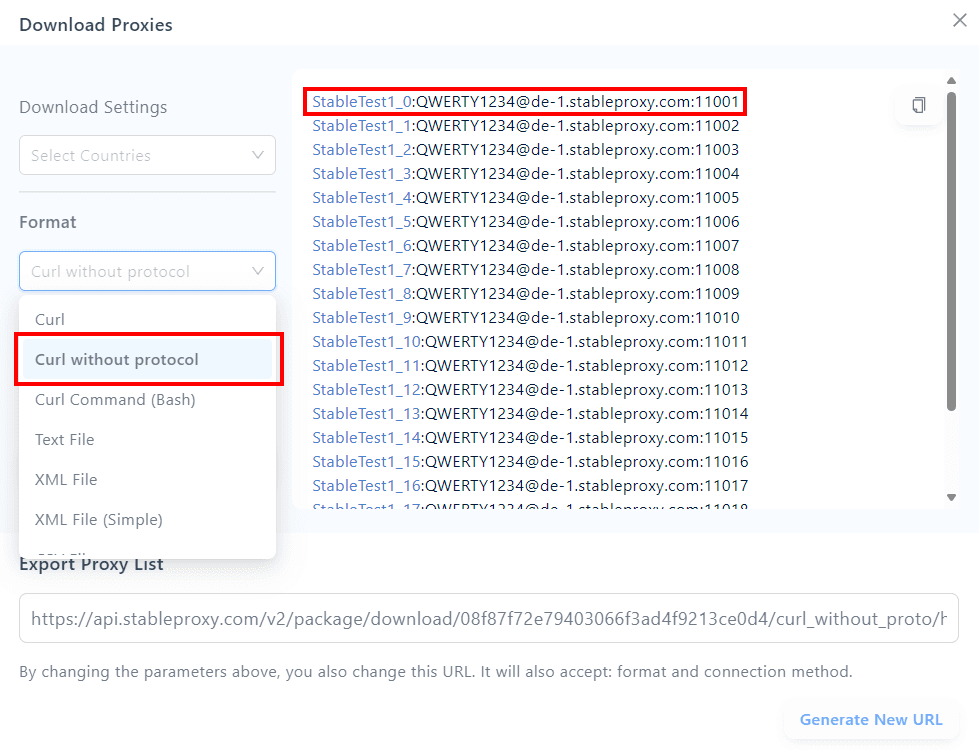
Select the desired format and copy the proxy details.
-
Paste the copied proxy details into the fields as shown in the example and click "Create".
-
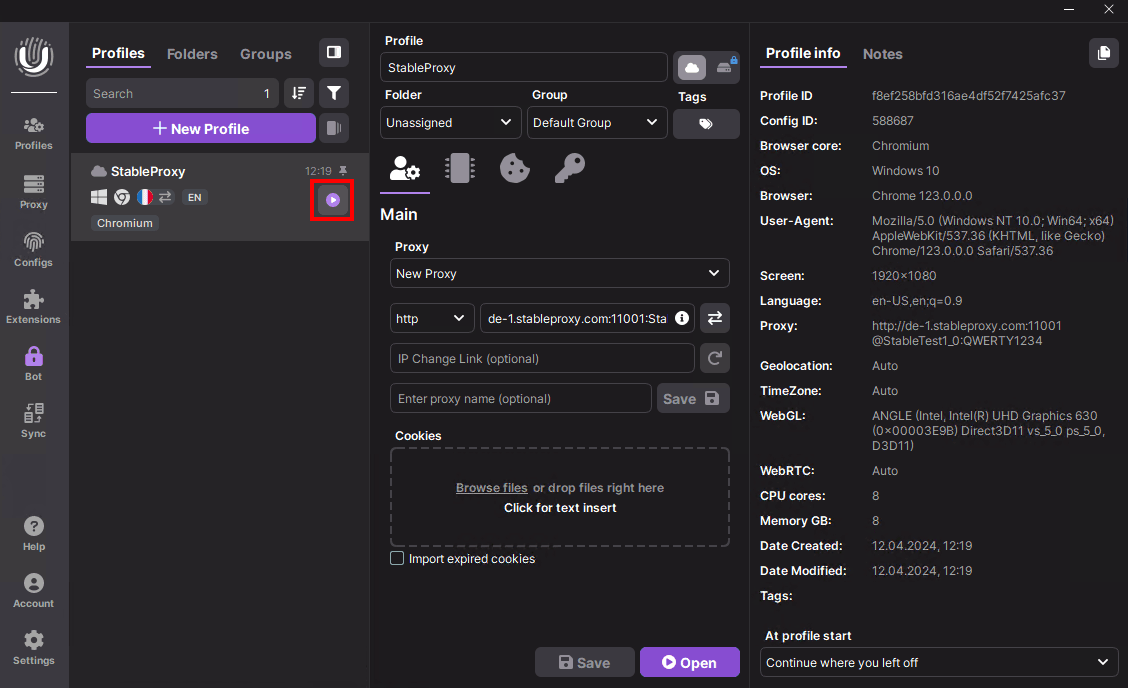
Launch the profile by clicking "Run."
Success!
You’ve successfully configured the StableProxy server with the Undetectable browser. This setup provides an additional layer of security, ensuring your online activities remain private and secure.


StableProxy.pl © 2023-2024